• Recent Posts

  • Tags (Categories)

  • Archives

  • Pages

  • January 2026
    M T W T F S S
     1234
    567891011
    12131415161718
    19202122232425
    262728293031  

What do Educators Need to Know about VPATs?

Post #2 in a series of twelve posts intended to help you improve the accessibility of your online courses.

This is a greatly shortened version of the full post. Check out the TL;DR version to see it all.

In this installment, we’ll take a look at a somewhat technical, and often over-looked aspect of using technology and software in education. Often-overlooked unless you are an IT professional or an employee working in a purchasing office.

Check the Accessibility Concerns of your Educational Software

What is a VPAT?

The Voluntary Product Accessibility Template (VPAT) is a tool that provides information about how well a vendor’s product or service conforms to the Section 508 Accessibility Standards. Since it is voluntary, not all companies will provide a VPAT for all of their products, but most companies that take an active interest in being inclusive with their product development will provide this information.

How to Find a VPAT

In the Web Accessibility MOOC for Online Educators (WAMOE), we asked the students (who were educators) to search for a VPAT for software or hardware that they used in their online courses. It could be something that they used themselves for content creation or similar purposes, or it could be something that they encouraged or required their students to use.

In most cases, WAMOE participants would do a web search using keywords of VPAT and the name of the tech product. This simple web search would often bear fruit very easily, with an obvious search result that would lead to the desired document. However, there were many times when the search brought back confusing results or no helpful information at all.

What if They Don’t Have a VPAT?

Unless you can be assured that the recommended technology will be accessible to all students, it is a good idea to provide an alternative assignment that can be used by those who cannot make use of the primary technology that has been assigned.

What Can You Learn from a VPAT?

The VPAT is a series of tables, each comprised of three columns. The Summary Table provides the vendor’s information related to conformance with Section 508 Standards of the United States Rehabilitation Act. Column one of the Summary Table contains eight accessibility criteria that are found in subparts B and C of the 508 Standards. Column two describes any supporting features in the product or service that helps conform to the individual criterion. Column three is for any remarks and explanations that the vendor would like to share.

VPAT Example – a web conferencing solution

The detail table for Section 1194.22 Web-based Internet information and applications includes the following (excerpting criteria a, c, and g as examples):

  • Criteria: (a) A text equivalent for every non­text element shall be provided (e.g., via “alt”, “longdesc”, or in element content).
    • Supporting Features: Supports with Exceptions
    • Remarks and explanations: The product interface itself does not have any deficiencies requiring this, and authors are urged to do so should the need arise.
  • Criteria: (c) Web pages shall be designed so that all information conveyed with color is also available without color, for example from context or markup.
    • Supporting Features: Supports
    • Remarks and explanations: All color contrasts comply with industry standard minimums.
  • Criteria: (g) Row and column headers shall be identified for data tables.
    • Supporting Features: Not Applicable
    • Remarks and explanations: The product does not contain any data tables.

Row (a) contains something that you’ll see quite frequently; the vendor saying that their product doesn’t have accessibility issues with a criterion, but content loaded by the end user just might. It’s always important to differentiate between product features and items added by the end user.

In an educational context, this boils down to the following: a) is the technology accessible to the instructor or student who needs to create educational content, and b) is the output of the technology accessible to users/viewers of said output?

You’ve Found a VPAT, Now What?

At many colleges and universities, vendor VPATs are used as a first step to verify the accessibility of the technology (both software and hardware) that will be purchased or recommended for use by students and employees. This is only a first step, because it is a wise choice to do some additional end-user testing to verify the information contained in the VPAT. For example, consider a software product that indicates in the VPAT that text included in an object created by that software is readable by assistive technology such as a screen reader. It would be a good idea to test that yourself using the screen reading technology that is normally deployed at your organization.

More info in TL;DR

Yikes, it’s Inaccessible. Now what?

Okay, so now you’ve reviewed the VPAT and completed functional testing and found the product to have accessibility barriers that cannot be accommodated. Now what? Well either the product shouldn’t be used or you have to provide students with disabilities an accessible alternative when they encounter a barrier. These accessible alternatives should be figured out well in advance of a student with a disability enrolling.

Still need more about the VPAT? Check out the longer version of this post.

Directory to posts in this series:

  1. Improving Accessibility of Online Courses – the why
  2. What do Educators Need to Know about VPATs?
  3. Alt Text for Simple Images in Online Courses
  4. Complex Images – Going Beyond Simple Alt Text
  5. Finding Videos with Good Captions
  6. Captioning Videos for Your Online Courses
  7. Improving the Accessibility of your HTML Content Pages – Part 1
  8. Improving the #A11y of Your HTML Content Pages – Part 2
  9. Making Word Documents Accessible for Online Learning
  10. Making PowerPoint Files Accessible for Online Learning
  11. Using Web-based Tools in Online Learning – #A11y
  12. Six More Tips for Making Online Courses Accessible

Improving Accessibility of Online Courses – the why

This is the first post in a series of twelve posts intended to help you improve the accessibility of your online courses.

During this series, the word accessibility is used in the context of making your online courses better for students with various disabilities. To help set the stage for this series of posts, let’s start with a couple of videos.

Keyboard image with Accessibility key replacing the Enter key

Portland Community College: To Care and Comply

Portland Community College (PCC) created this 11-minute video in 2015. PCC employees talk about their web accessibility guidelines and how supporting students with disabilities is a shared responsibility across the college. Tips and techniques that faculty and staff can use to improve their online course materials to make course components more accessible are also included. It is embedded below, or you can open it separately in YouTube.

These things jump out at me from the PCC video:

  • The intro examples of navigating online courses with assistive technology
  • The various students’ stories about their needs for accessible learning materials
  • Mission of PCC, and there is no success without access (10:30)

You can learn more about the various accessibility resources provided by PCC at their website.

University of Washington DO-IT: IT Accessibility: What Campus Leaders Have to Say

I also highly recommend a second video, this one from DO-IT (Disabilities, Opportunities, Internetworking, and Technology) at the University of Washington. DO-IT provides many excellent resources for educators and students. They also have an excellent Center for Universal Design in Education. This video highlights the importance and strategies for making Information Technology accessible on a campus-wide basis. Open DO-IT video separately.

Highlights for me in this video include:

  • Notice that the video is audio-described (AD).
  • At 1:37, Tracy Mitrano clarifies that making an accommodation was a good starting point, but only the start of the conversation about dealing with accessibility.
  • At 2:32, Pablo Molinda states that just like privacy and security, accessibility needs to be designed from the initial conception, not an afterthought.
  • At 3:58, Gerry Hanley shows that his state system requires all vendors provide equally effective access to the services provided by the vendor.

In the second post we’ll look into the importance of a VPAT and what you can learn from them. In the remaining posts we’ll focus more on the question of how to improve the accessibility of online courses. I thought it was important to start with this post dealing more with the question of why improved web accessibility is important in online learning.

The PCC video is shared with express written consent from PCC, and the University of Washington video is shared under the license of Creative Commons Attribution. The accessibility keyboard graphic is shared under Creative Commons Attribution by creator Poakpong.

Directory to posts in this series:

  1. Improving Accessibility of Online Courses – the why
  2. What do Educators Need to Know about VPATs?
  3. Alt Text for Simple Images in Online Courses
  4. Complex Images – Going Beyond Simple Alt Text
  5. Finding Videos with Good Captions
  6. Captioning Videos for Your Online Courses
  7. Improving the Accessibility of your HTML Content Pages – Part 1
  8. Improving the #A11y of Your HTML Content Pages – Part 2
  9. Making Word Documents Accessible for Online Learning
  10. Making PowerPoint Files Accessible for Online Learning
  11. Using Web-based Tools in Online Learning – #A11y
  12. Six More Tips for Making Online Courses Accessible

Hate-filled Facebook Deserves to be Unfriended en Masse

This was published as a Local View column in the Duluth News Tribune on September 3, 2020.

Image used by the Duluth News Tribune

Facebook has proven itself to be a danger to democracy. The republic is under attack, and Zuckerberg is the attacker.

If Facebook is your main source for news, then you’re not getting news; you’re getting indoctrinated by propaganda. According to PBS News, fake accounts created in Russia during the 2016 election reached more than 126 million Americans, almost equaling the 136 million who voted in the election. A fake account is one that is not backed by a real person — or not by the person purported to be behind the account.

According to the Wall Street Journal, Facebook knew about the Russian disinformation campaign during the 2016 election but didn’t take action because of organizational dysfunction. Regardless of why Facebook didn’t take action, it knew and did nothing.

As we near another presidential election, we again find that the information fed to the public across social-media platforms is far too often filled with lies and fake videos. In 2020, Facebook still knows and yet does almost nothing to stop it.

Even if Facebook became more effective at cracking down on fake accounts and misinformation detection, I wouldn’t recommend anyone trust the company to take action. The Proud Boys hate group was permanently banned from the platform in October 2018. However, in July 2020, Facebook removed 54 accounts, 50 pages, and four Instagram accounts (also owned by Facebook) where the hate group was back up to its usual violence-inducing tactics. Sure, Proud Boys got caught, but how much damage did it do before getting caught?

Facebook has rules against accounts and posts by violent militias, and yet the Kenosha shooter was egged on by a page that encouraged armed Americans to take to the streets of the far southeastern Wisconsin city. Facebook CEO Mark Zuckerberg said Facebook made an “operational mistake” by failing to remove the page until after the event occurred. So people died because of an “operational mistake?”

Facebook is Fakebook. The amount of misinformation and fake news is staggering. Your timeline is littered with fake outrage over every little stupid thing. Not to mention the fake enthusiasm about the minutiae of life (“Oh boy, baked potatoes tonight!”).

I left Facebook almost two years ago. I no longer was willing to be the product it was selling to others. Believe it or not, I find I can still stay in touch with friends and family. Facebook made that easy, but the price tag was too high.

If your business uses Facebook as your only “website,” then I won’t be your customer. If you’re a local politician who mainly talks to the people through Facebook, then I won’t hear your message. If you’re trying to sell something on Facebook, then I won’t be your buyer.

Zuckerberg doesn’t care a whit whether his platform is used by foreign agents in an attempt to manipulate the U.S. presidential election. If you are a Facebook user, then you support Zuckerberg and his goals. You are not an innocent bystander.

More than 1,100 companies and organizations joined the advertiser boycott against Facebook in July to pressure the platform to take more action on hate speech and deceptive posts from politicians. I suggest that you join in by deleting your Facebook account and leaving the hate-filled site behind.

If you don’t want to believe some rando who wrote a “Local View” commentary (that’s me), that’s fine. Do your own research. Just don’t do your research at InfoWars and Breitbart — and definitely not at Facebook.

Barry Dahl of Superior is an educator who taught at the University of Minnesota Duluth for six years and worked at Lake Superior College for 16 years, including 10 years as a dean and vice president. He works now for an online learning software company. He was an early user of Facebook when the platform first opened to the general public. To learn more about the evidence against Facebook, he recommends “The Great Hack,” an Emmy-nominated documentary on Netflix.

My Beer Experiment: What I Learned

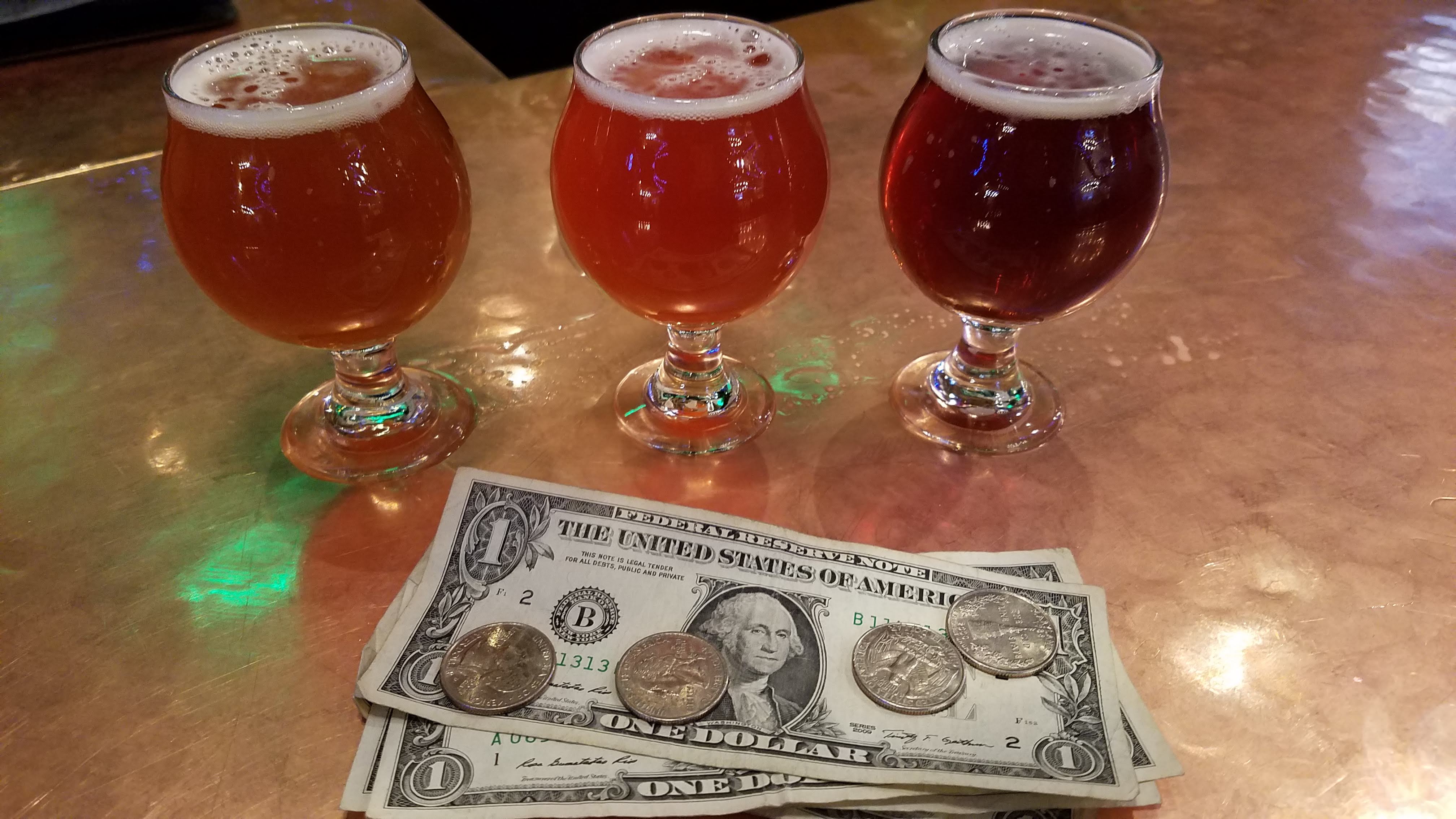
I started 2019 with a personal mission to study my beer drinking habits and effects. I started the year drinking 50 beers in 50 days. Then I dove into the next 50 days without drinking any beers.

Hoops Brewing in Duluth

After drinking some great beers during the first 50 days, I had zero beers in the next 20 days. Then I quit. Although this was not an actual New Year’s Resolution, this plan was very similar to one. And like most resolutions, I gave up on it. Here’s what I learned.

  • As much as I like a good craft beer (it’s a lot, trust me), 50 beers in 50 days was actually a significant increase in my normal beer consumption.
  • Several times I had to force it (by drinking a beer or two) in order to stay on pace. Not a big deal, but those beers were less enjoyable than the times that I really wanted to have one. I guess that makes sense.
  • I think my sweet spot is about 5 beers a week on average. That usually works out to 2 or 3 beers about twice a week. In other words, 35 beers in 50 days would have been a more normal pace for me. I didn’t realize that until I started down this path.
  • I’m to the point where I would rather not drink a beer at all than drink a crappy beer.
  • I gave up the experiment after 20 days because I really missed my beers. I didn’t feel any better or worse (physically) than during the first 50 days, but I felt like I was depriving myself of something I like…for no good reason.
  • I also noticed that I was drinking more coffee and more soda (pop?); neither of which is probably all that terrific for me.
  • Besides, I like having beers in social situations, such as when I play poker a couple of times a week. Also when I visit friends; such as my upcoming trips to Tucson, Portland, and elsewhere.

So, there you have it. Call me a beer drinker.

I gave up on Facebook, but I’m still an avid user of Untappd (I’m dahlontap) so I can get a mild social media fix while tracking my beer consumption and learning about new opportunities to make myself hoppy. Cheers!

The Beatles and #MeToo

It was 55 years ago today (Feb. 1, 1964) when I Wanna Hold Your Hand became the first #1 hit for The Beatles in the USA. I was a very young lad when The Fab Four made their big splash. I went along for the ride because my two older brothers were in high school at the time and bought all the albums. So, I’ve been a Beatles fan for as long as I can remember. In fact, I can only remember a little bit of the music that I listened to before I listened to The Beatles.

I have several favorites, or near-favorites on my Beatles playlist. There’s one song that haunts me. For many years I paid no attention to the lyrics. This song has a great beat and an awesome sound. It’s a real toe-tapper. But then there’s the lyrics.

Lyrics – Run For Your Life

  • I’d rather see you dead, little girl,
  • Than to be with another man.
  • You’d better keep your head, little girl,
  • Or I won’t know where I am.
  • You’d better run for your life if you can, little girl,
  • Hide your head in the sand, little girl,
  • Catch you with another man,
  • That’s the end ah, little girl.
  • Well you know that I’m a wicked guy
  • And I was born with a jealous mind.
  • And I can’t spend my whole life
  • Tryin’ just to make you toe the line.

Repeat 2nd stanza.

  • Let this be a sermon,
  • I mean ev’rything I said.
  • Baby, I’m determined
  • And I’d rather see you dead.

Repeat 2nd stanza

Repeat 1st Stanza

Repeat 2nd Stanza

John Lennon wrote these words. I guess this was before he tried to be a pacifist. He admitted in a 1980 Playboy interview that he treated women badly. “All that ‘I used to be cruel to my woman, I beat her and kept her apart from the things that she loved’ was me. I used to be cruel to my woman, and physically… any woman. I was a hitter. I couldn’t express myself and I hit.”

I’ve heard many people argue that even though John wrote these lyrics, he wasn’t writing about himself. Apparently, he was writing a story about some crazy jealous dude – but not him. Based on his own words as a younger lad, and based on his statements that he wished he had never written this song – I tend to believe that it’s autobiographical.

It’s a shame that this song has such nasty lyrics. Take this same beat and melody and put it with decent lyrics and it would probably be my favorite Beatles song. Bummer.

I’m a Prepper, a Death Prepper

Over the past few months, I’ve been preparing to die. Or at least I’ve started preparing for that inevitability. It’s actually been kind of fun.

I don’t actually believe that I’m going to die soon; not that one can ever be too sure about those things. I don’t have a terminal disease, nor a death wish. I’ve just seen a lot of people die in the past few years, and I want to be ready.

The grim reaper awaits all of us.

As a death prepper, here’s what I’ve been up to lately:

  • I’ve written my own obit. It’s ready to go, once somebody else is able to add the date and cause of death.
  • I’ve chosen the songs I want to be played at my death party (or memorial service, if you will).
  • I’ve prepared a shared online spreadsheet to make sure my wife has access to all the financial accounts information.
  • I’ve decided on cremation, because I really like the word “cremains.” (I hope you cremember me when I’m gone.)
    • MAJOR EDIT: Based on an awesome podcast episode by Science Vs., I now plan to be composted. No lie. Turn me into dirt rather than ashes. Listen: Should We Compost Human Bodies? 
  • My headstone is being prepared. Tasteful little thing, no 24K gold or diamond studs. I don’t feel like I actually need a headstone anywhere in the world, but my wife would like to have our markers side-by-side. That’s a good enough reason for me.

I do have a couple of things left to do:

  • I’m working on a solution that will delete almost all of my online accounts when I die, except for this blog and my Twitter feed. I’ll leave those for my kids to look back on someday.
  • I still need to prepare a will. This should be moot, because I expect my wife to live 30 more years after I die, and everything goes to her with or without a will. However, it’s not a sure thing that I go first, so a last will and testament needs to be prepared.
  • I’m going to prepare a 5-minute video about my life. My whole life condensed into 5 minutes. That’s going to be a challenge. Lots of good stuff will hit the cutting room floor, but death is cruel – and most people will start to check out after five minutes anyway. Why a 5-minute video? I don’t know; I just want to.
    • I’ve already made a 5-minute video about my career in education for a D2L Fusion conference. This video, 40 Years in 5 Minutes – My Career in a Nutshell, is similar to the 5-minute video that I want to about the rest of my life, except without all the Powerpointless stuff.
  • And lastly, to steal phrase, I need to get busy living.

If and when you see my obit, you’ll see that I don’t use the phrase “he passed away.” You don’t pass away – you fail away. You didn’t pass, you failed. You failed to live forever. Death is not a hall pass, it’s a pink slip.

50 Beers in 50 Days

I’m starting 2019 on a personal mission. My plan is to drink 50 different beers in the first 50 days of the year. That doesn’t necessarily mean one beer each day, but a total of 50 over 50 days.

beer-1513436_1280

Then, starting February 20, I will go 50 days without a beer.

Then, starting April 10, I will take a self-assessment. Do I feel healthier? Am I happier? Am I an emotional wreck? Is there no significant difference?

I like beer. I really like craft beers. I really like craft beers that are dark, or hoppy, or unique; or possibly all three things at the same time. I hate to think that I’ll be better off without beer, but maybe that will be the case. My father had to stop drinking during the last 8 to 10 years of his life. He still liked beer, but beer didn’t like him.

I’ll keep a running list here, and then report out on my conclusions in April and May.

  • Day 2 – Beer 1) Big Sky IPA
  • Day 4 – Beer 2) Bent Paddle Harness IPA
    • Beer 3) Bent Paddle Black
    • Beer 4) Beaver Island Sweet Miss Stout
  • Day 7 – Beer 5) Summit Extra Pale Ale
    • Beer 6) Lake Superior Duluth Coffee Stout
  • Days 8, 9, 10 – ice fishing on Lake of the Woods – Beer 7) Fulton Citra Double Dry-Hopped 300 bottle
    • Beer 8) Shiner Bohemian Black Lager
    • Beer 9) Indeed Flavorwave IPA 

ice-fishing-2019

  • Day 14 – Beer 10) Odell IPA
    • Beer 11) Bell’s Two Hearted Ale
  • Day 16 – Beer 12) Alaskan Icy Bay IPA (meh!!)
  • Day 17 – Beer 13) Beaver Island Brewing ’39 Red IPA
    • Beer 14) Earth Rider Superior Pale Ale
  • Day 19 – Beer 15) Third Street BrewHouse Sugar Shack Maple Stout (can)
    • Beer 16) Oskar Blues G’Knight
  • Day 21 – Beer 17) New Belgium Fat Tire
    • Beer 18) Castle Danger Cream Ale
  • Day 23 – Beer 19) Tallgrass Brewing Buffalo Sweat Oatmeal Cream Stout
    • Beer 20) Hop & Barrel Hudson Haze IPA
  • Day 24 – Beer 21) Milwaukee Brewing Louie’s Demise
  • Day 25 – Beer 22) Big Wood Portside Porter
    • Beer 23) Rush River Unforgiven Amber Ale
  • Day 28 – Beer 24) Bent Paddle Harness IPA
  • Day 31 – Beer 25) Deschutes Jubelale
    • Beer 26) Earth Rider Duluth Coffee Pale Ale
  • Day 33 – Beer 27) Zipline Kolsch
  • Day 34 – Beer 28) Schell’s FireBrick
    • Beer 29) Surly Furious
  • Day 35 – Beer 30) Guinness Stout
    • Beer 31) John Smith’s Newcastle Brown Ale
  • Day 36 – Beer 32) Sierra Nevada Hop Hunter IPA
  • Day 37 – Beer 33) Alaskan Brewing Smoked Porter
    • Beer 34) The Fermentorium Underwater Panther
    • Beer 35) Earth Rider North Tower Stout
  • Day 38 – Beer 36) Deschutes Fresh Squeezed IPA
    • Beer 37) Sierra Nevada Torpedo Extra IPA
  • Day 39 – Beer 38) Stone IPA
  • Day 40 – Beer 39) Big Sky Scape Goat Pale Ale
    • Beer 40) Fitger’s Biere de Garde
    • Beer 41) Fitger’s Nuff Said English Pale Ale
  • Day 42 – Beer 42) Hoops No. 9 Pomegranate Rye
  • Day 44 – Beer 43) New Belgium 1554 Dark Lager
  • Day 45 – Beer 44) Earth Rider Cognac Barrel Aged Valhalla Ale
  • Day 47 – Beer 45) Firestone Walker Brewing Union Jack IPA
    • Beer 46) Golden Road Brewing Mango Cart Wheat Ale
  • Day 48 – Beer 47) Hammerheart Laurentian Porter
    • Beer 48) Surly Todd – The Axe Man
  • Day 49 – Beer 49) Thirsty Pagan Pabsh Double IPA
  • Day 50 – Beer 50) The best beer of the first 49 deserves a repeat – and the winner is…the Duluth Coffee Pale Ale from Earth Rider Brewery in Superior, Wisconsin.
  • It wasn’t easy drinking 50 beers in 50 days. Turns out that is more than I would normally drink. About 20% more, or so.
  • So now the fun part begins.
  • This beer lover is going to abstain from beer for the next 50 days.
  • Then we’ll see which Barry is best; Beer Barry or that other guy.

#F*ckOffFacebook

In December 2018, I finally left Facebook. There are several reasons why I stayed as long as I did, including:

  • A couple of private groups where I found value connecting with either family members or educator friends.
  • A few distant friends (who are real friends not just “accept my friend request” friends) who I’ve been able to reconnect with, including a few college buddies.
  • And that’s about it.

Those reasons weren’t good enough, as the scales kept tipping further and further against the Bookface.

Bookface photo of woman with a magazine obscuring her face

Facebook, because time isn’t going to kill itself.

The main reasons why I left include:

  1. The bastards cannot be trusted.
    • Manipulated U.S. elections. See Cambridge Analytica if you don’t believe me; and Russian trolls, and Fake Election News produced by bots, and more.
    • Most recently, it was disclosed that “Facebook allowed Microsoft’s Bing search engine to see the names of virtually all Facebook users’ friends without consent, the Times reports. It gave Netflix and Spotify the ability to read users’ private messages. It allowed Yahoo to view real-time feeds of friends’ posts, despite the fact it publicly claimed to have ended that kind of snooping years ago…” (lots of good/bad stuff at The Ringer)
    • “Facebook News” isn’t The News, and cannot be trusted.
    • Hacked! Login credentials for 50 million users were stolen in September 2018.
    • If you aren’t familiar with the many other FB scandals, this article gives a great summary of their plethora of distrustful behaviors. My faves are:
      • In May, at a congressional hearing it was noted that Cambridge Analytica, under the direction of Steve Bannon, sought to “exploit certain vulnerabilities in certain segments to send them information that will remove them from the public forum, and feed them conspiracies and they’ll never see mainstream media.”
      • Reports in April indicated that “Facebook granted Zuckerberg and other high ranking executives powers over controlling personal information on a platform that is not available to normal users.”
      • In October 2017, Facebook expanded their engagement with Republican-linked firm Definers Public Affairs to discredit “activist protesters.” This was the whole “let’s imply that Facebook critics are anti-Semitic and somehow link the protesters to George Soros.” Oy.
      • the “view as” feature exploited for 50M users – reported Sept 28, 2018.
      • In July, blocked people became unblocked.
      • As reported by Vice News in October, “Facebook’s political ad tool let us buy ads “paid for” by Mike Pence and ISIS.”
  2. Zuck is creepy. His company is creepy. I’m creeped out by them.
  3. Time Suck. Not wondering what I’m missing on FB is surprisingly liberating. I still have several other time sucks, but FB is no longer one of them.
    • The signal to noise ratio on FB is low. Really low. The amount of time I spent sifting through the bullshit to find a few nuggets is depressing to think about. Using more trusted sources for reading material is far more productive.
  4. I learned to hate the fakeness of it all.
    • Fake birthday wishes from people who wouldn’t otherwise say a word to you if FB didn’t tell them that hey “It’s Barry’s Birthday, help him celebrate!” Gag me. These gestures lost all meaning for me – even to the point of being negative communications rather then positive.
    • Fake outrage over every little stupid thing.
    • Fake enthusiasm about the minutiae of life. Seriously people, 99% of what you post just isn’t that interesting – same goes for 98% of my former posts.
    • Facebook should be renamed Fakebook. So fake. Bigly fake! SAD!!!

      Fake Zuckerberg protester in London

      Avaaz protest in London ; 04/26/2018 – Flickr – PD photo by Rob Pinney

  5. FB definitely caused me more angst than joy. Some examples:
    • A friend of over 40 years who pissed me off nearly every day with his nasty political posts.
    • Relatives that I stopped liking once I got to know them better.
    • All the untruths shared as truths – maybe mix in a fact checker once in a while.
  6. This could be a never ending list. But I’d rather end it.

Several months earlier I deleted the FB Messenger app off my Android phone, amid reports of serious violations of personal privacy. If it wasn’t a spy, Messenger would be a reason for me to stay on FB instead of leaving. But alas, it definitely cannot be trusted.

FB has about 2.4 million active users in Q4 of 2018. That’s all fine and good, but I think I’ll align with the 5.2 million humans worldwide who aren’t aren’t in The Book.

I thought I would suffer from F.O.M.O. (the Fear Of Missing Out), but so far I think I’m experiencing J.O.A.F. (the Joy of Avoiding Facebook).

For a while, I too was caught up in all the social sharing, thus limiting my ability to be present and live in the moment. It’s easy to start viewing everything we do with the lens of our phone camera. I’m over the need to constantly report on my life rather than living it. Except maybe here on this blog – like the good ole days.

I still want to be connected with most of the people who were my Facebook friends. It’s a bit sad to think that deleting this one connection might turn out to be the end of any communications with a friend or family member. But it seems that if our relationship is more than Facebook telling us that we’re friends, then our friendship will endure. Almost all of my former FB friends know how to get in touch with me via many different technology options. And I know where they are, too.

Using Voicethread in Education with an Eye on Accessiblity

In a previous post, Mea Culpa – Accessibility Concerns of Using External Tools in the LMS, I mentioned the This web-based tool has passed the accessibility testaccessibility concerns that come from using many of the popular external tools (Web 2.0 tools, if you will) inside the LMS. I previously posted about the accessibility issues with Slideshare and also the poor accessibility record of Prezi. This post is a bit more positive, because I’m highlighting a tool that has made major steps forward on the road to a11y.

Voicethread is increasingly being used in education at all levels. Some of their features (from  their website) include:

Creating: Upload, share and discuss documents, presentations, images, audio files and videos. Over 50 different types of media can be used in a VoiceThread.

Commenting: Comment on VoiceThread slides using one of five powerful commenting options: microphone, webcam, text, phone, and audio-file upload.

Sharing: Keep a VoiceThread private, share it with specific people, or open it up to the entire world. Learn more about sharing VoiceThreads.

Below is a link to an example Voicethread created by an educator and her students. It was easy to embed the Voicethread into Brightspace, but WordPress (this site) doesn’t play nicely with embed code. Click on the image below to view the Voicethread.

Voicethread example for education

Voicethread provides for both audio and text comments. It is one of the most accessible Web 2.0 platforms that you will find. 

More resources:

Voicethread also offers a series of higher ed webinars “to improve your pedagogical use of VoiceThread or plan a group viewing of an archive with your colleagues to stimulate an engaging professional development event on campus about teaching with VoiceThread.” The webinars are presented by Michelle Pacansky-Brock, a Voicethread evangelist and an eLearning professional educator.

How About Those School Secretaries

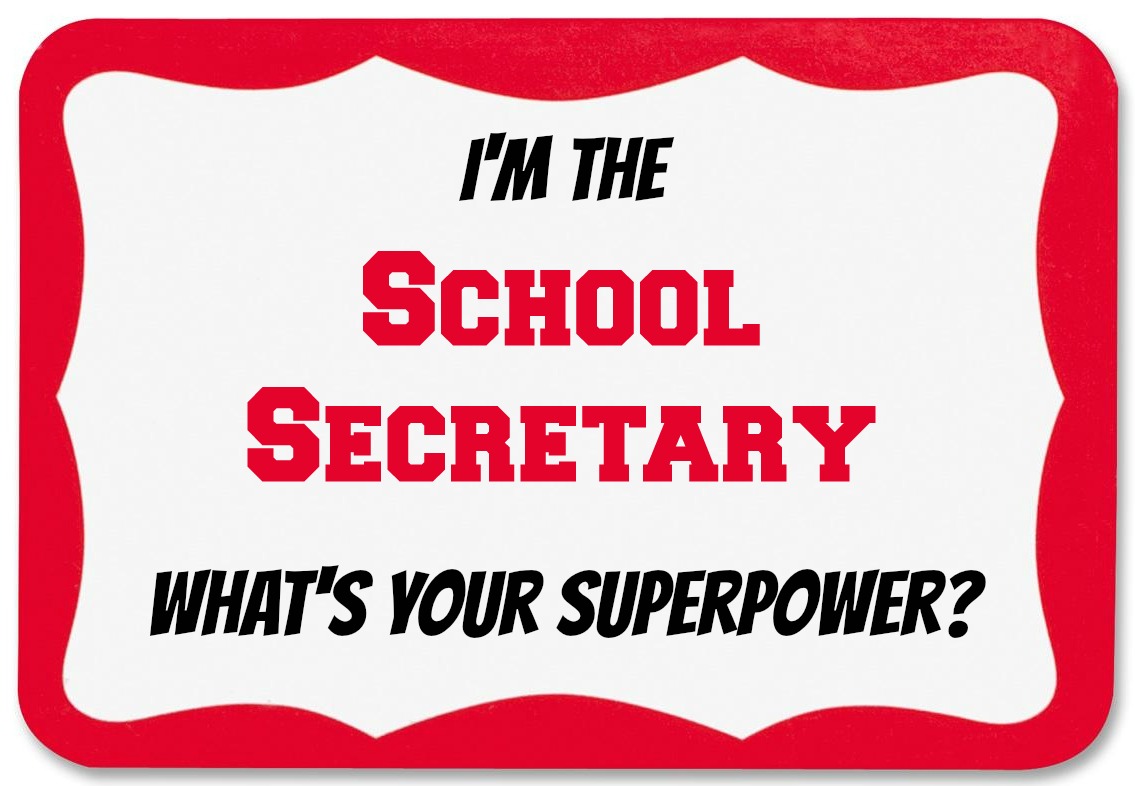
How about those school secretaries? Can I get a booyah!? The text below was printed in the Tuesday edition (4/21/2015) of the Superior Telegram. Here’s a link to the letter at their website, although it will probably disappear soon. This was written as an ode to my wife, who is a school secretary extraordinaire.  I’ll add more editorial comments at the bottom.


I'm the school secretary, what's your superpower?This week is Administrative Professional’s Week in the U.S. In the old days, it was known as National Secretaries Week. My particular interest lies with those who are administrative professionals at our schools, especially those within the School District of Superior.

What are some of the different jobs these people perform on a regular basis? Here’s a partial list:

• She (or it could be a he) is a public relations specialist when a parent has a complaint about a teacher or a policy or a school incident.

  • She performs triage when an ailing or injured student walks in the office and the school nurse is already occupied or otherwise unavailable.

• She is the security officer, deciding who is allowed past the locked front door and who isn’t.

  • She is the receptionist who first greets visitors after they enter the school.

• She’s the shrink who listens while students and colleagues pour out their troubles.

  • She assumes the role of the Public Information Officer when a journalist (or blogger) calls for information about an incident or for any other reason.

• She’s the social worker who keeps both eyes on the lookout for signs of a child in danger.

  • She’s the legal eagle who tries to protect students and staff by knowing who has which restraining order and who just got charged for drug possession or child neglect.

• She’s also the one who puts up with a multitude of crazy parents that think she’s not doing a good enough job raising their children for them.

  • She is the babysitter that parents take advantage of when they don’t pick their kids up from school in a timely manner. She often stays late because at least one kid is still sitting in her office waiting to be picked up, hours after school ended.

• She is the superhero who will be the human shield to protect your child from physical harm.

  • She’s the administrative support professional who doesn’t care if you call her a secretary; because if she had that kind of an ego, she never would have taken this job in the first place.

• You might have noticed that most of the items above are not typical duties of a secretary. You’d be right about, and yes, she does those normal support things as well.

She’s also the person who gets derided because she “gets the summers off, so how hard can that job be?” Then she bites her tongue rather than explaining that after going through 10 months of the activities on list above on a daily basis, that yes, a person needs some time to get her own head on straight and to fire up for the next 10 months of stress and lack of appreciation.

She’s also a mother, wife, sister, daughter, friend and neighbor. Appreciation. Respect. Love. They deserve it, and then some.

End of letter to the editor


She’s also one of the school employees with the lowest compensation, both in salary and in total. I would never argue that the teachers and others at the school should be paid less, because they shouldn’t. I can argue strenuously that the administrative support personnel should be compensated more highly. Here are a few of my thoughts about their compensation:

  • My wife is a skilled restaurant manager and server. She could make as much money waiting tables three nights a week at a decent restaurant as she makes as a school secretary.
  • Her school district benefits have been stripped to the level where they no longer matter much, so again a server position with no benefits is pretty much at the same level.
  • Because she has time off in the summer, her cost of family health insurance benefits (which we can’t afford in the first place) would be higher than what her boss (the principal) would pay for family health insurance. Since she is not on the payroll at all during July, she (and other employees in similar positions) would have to pay the full cost of the health insurance premium for that month. For family coverage, that would be approximately $1,500 for that one month. So yes, the lowly-paid school secretary would pay $1,500 more annually for her health insurance than does the much more highly-paid school principal. Maybe this is moot since the cost of health insurance is so far out of bounds in the first place.
  • My wife has the skills to be employed in more highly compensated positions. That’s a good thing, because if I died or became unable to work, there is ZERO CHANCE that she could support herself and our kids on what she makes as a school secretary. She would have to quit the job that she loves in order to support her family. In other words, the only way that our family can afford for her to work as a school secretary is for my salary to subsidize the low pay offered by the school district. I wouldn’t care about that if they deserved her loyalty – but they don’t. Their actions about employee compensation speaks much more loudly than their words of faint praise.