• Recent Posts

  • Tags (Categories)

  • Archives

  • Pages

  • December 2025
    M T W T F S S
    1234567
    891011121314
    15161718192021
    22232425262728
    293031  

Embedded Videos with Different Start Time

Sometimes you find that shareable video that includes some stuff at the beginning or the end that you really aren’t all that interested in. No problemo. Just append a little bit of code and you’ll be able to have the video start at whatever point you like.

In this example below of a great CCR song, they have about 12 seconds of crap at the beginning. If you want the video to start right when the song starts, use this code:

http://www.youtube.com/watch?v=RqZhM75aGMg#t=0m13s

It’s the “#t=0m13s”  (o minutes, 13 seconds from the beginning) at the end of the video ID that makes that work. Here’s the embedded version of that video.

NOTE: for a WordPress embed, use this version: (&start=number-of-seconds)
[ youtube http://www.youtube.com/watch?v=RqZhM75aGMg&start=13 ]

Why would you do this? Well, that’s pretty simple: you get to edit the length of the video without really editing the video. I have used this technique several times, especially during presentations where you only want to show a snippet of a video and you don’t want to fool around during the presentation with starting the video right where you need it.

At the time of this post (May 2011), you cannot also have a video stop playing at a certain point just by altering the YouTube code. There appears to be many requests for this feature, but for now you need to use a service such as splicd.com or something similar.

Higher Ed Loves the iPad

Fast Company publishes an article that is getting retweeted and re-facebooked all over the net. The title is “Apple’s iPad Officially Passes the Higher Education test [Exclusive]”

“Officially” appears to mean that the iPad scored high marks overall in a student pilot project at Reed College in Portland, OR. Let’s see – students were given an iPad to use for the course and then could buy it at 50% off at the end of the course. That sounds like an unbiased sample, now doesn’t it? The glorious iPad received it’s high marks in spite of the following:

The virtual keyboard is a pain for composing anything beyond short notes. The nonexistent file system makes finding important documents difficult and sharing across applications nearly impossible. Finally, managing a large number of readings in PDF format becomes a major time-suck. Syncing PDFs via iTunes was found to be “needlessly complicated,” emailing marked-up versions back to oneself was “prohibitively time-consuming,” and even the cloud-based storage, Dropbox, “failed to work seamlessly with PDF reading/annotating applications.”

Apparently, it’s just so cool that they don”t care about what it can’t do. And 50% off the cost of buying your own is enough to make any college student a bit giddy.

New Version of DimDim Released

At Lake Superior College, we have our own licensed rooms (tech plan update) for using the DimDim webcast service. This is the first semester we’ve made it available to the college community and quite a few faculty and some staff members have expressed an interest in using it, and a few have already started using it during the first week of the semester.

DimDim released a new version over the past weekend with lots of changes and several additions to the features and functions. The four minute screencast below (click it to open in a new window) shows some of these new features.

Some of the new features include:

  • Application and/or region screen sharing – which means that you can share your entire desktop, or a portion of the desktop, or a single application running on your desktop.
  • They did away with the rather lame feature of “Share a URL” which could be used to share a webpage, but only one at a time. I much preferred screen sharing where I could easily click through different tabs on the browser, which is still the recommended way for using websites in your webcast.
  • Document library – finally the ability to upload documents into a library where they will be available the next time you hold a webcast without uploading again. You can upload up to 2GBs of docs before, during, and after your meetings.
  • Document file types: the “Share Presentation” app (should be called Share Documents) previously was limited to only PowerPoint (PPT and PPTX) and PDF files. The new version adds to that list with the following: .doc,  .docx,  .docm,  .dotx,  .dotm,  .xls,  .xlsx,  .xlsm,  .xltw,  .xlsb  (or virtually all versions of Word docs and Excel spreadsheets).
  • Instant polls. Although limited to a single type of poll question (multiple choice with single select), this could still be useful in a pinch.
  • Web mashups – you can paste any YouTube URL, and Picasa URL (really? Picasa? Huh?). or any embed code for any web app that you might like – such as SlideShare, Vimeo, Blip.tv, a Twitter widget, a music player, photo slideshow, screencast video, Google map, or whatever as long as it has an embed code.
  • Four-way video chat – allowing you to see more people with webcams with a  new fullscreen mode for video.

Unfortunately, there appears to be no improvement in the recording functionality of DimDim after the update. Most of the sessions that I have recorded for future playback result in corrupted or empty files. This has been an ongoing problem. Sometimes you get lucky, but overall I have found that you CANNOT rely on the recording function to work properly.

Other than the recording issue, our experience thus far with DimDim has been positive. More to come.

Network Segregation: is that a question?

Bryan Alexander got me thinking about a blog post I started writing 2 or 3 months ago and never finished. I’ll just start from scratch and go from there.

He tweeted: “Wondering if I should stop sending Twitter content automatically to Facebook. Any thoughts, readers and followers?”

I have not been a fan of having a message automatically sent to several networks at once. You can connect together your Facebook, Twitter, and LinkedIn accounts (and probably others) so that whatever you post to one of them is automagically cross posted to the others. Whereas some people probably look at that as an efficient way of communicating something to all your various contacts across all those networks, to me it just seems a bit weird and even unnecessary. It certainly wouldn’t work with the way my own usage of these networks is developing.

My Twitter friends are my most valuable learning network. Almost everything I get out of Twitter comes from educators from around the world to whom I am connected. Here’s an example of a couple of posts today that were valuable to me:

@busynessgirl RT @PCSTech Online Lectures That Will Make You A Better Teacher – http://bit.ly/91yeyC #edtech

@c4lpt The Jane Hart Daily is out – read this Twitter newspaper on http://paper.li/c4lpt (247 contributions today)

None of my family members and personal friends would be interested in that stuff whatsoever. They don’t want to be in my Twitter network and I don’t want them there (sorry).

However, I enjoy Facebooking with those same family members and personal friends. I can somewhat keep tabs on my precocious daughter, follow along for life’s lessons with nephews and nieces and others, and (more recently) get reconnected with lots of my old college buddies.

The biggest problem of having those networks mixed together is probably very obvious. All the Ed-Tech news and notes would just be a bunch of noise to the friends&fam, whereas all the personal “hi, how you doin’?” to the F&F would be completely boring to the Ed-Tech people. Both groups would be more likely to tune you out due to white noise.

Unfortunately, I didn’t quite have all this figured out when I started “friending” people on Facebook a few years ago. So, there’s quite a few educators in there that probably find me not too informative about Ed-Tech issues. Most of them are in my Twitter account, but a few are not. To those of you who are in my Facebook network, don’t be offended when I UN-friend you in Facebook. I really want that to be my Internets tube for personal use and keep the professional stuff in Twitter. I’m sure you’ll understand.

To summarize: Yes, I am in favor of segregating my networks into personal and professional. YMMV.

Craigslist for Academic Dishonesty

Craigslist screenshot I guess this isn’t at all surprising.

I found this in the Craigslist Duluth/Superior listings for Services Offered > Writing/Editing/Translation

Title:  Online Class Assignments..Master of Academic Editing/Writing

“I create essay and research paper writing solutions for students. Students come to me with a project that they either don’t have the time for or are lacking the ability to complete. I’ve written numerous papers for various students. Across the board, I produce A+ results.”

He goes on to post a URL with examples of his “academic writings.” He doesn’t post any pricing information, but I’m sure the sky’s the limit for “A+ results.”

I decided to take a quick look this morning after seeing an email from WCET where they passed along an email exchange between a Wyoming educator and a person on Craigslist offering to take online tests in physics and math. Didn’t find a test-taker in the Duluth area – but of course they could be doing it from anywhere – because it’s online. Easy Peasy!

When asked about the cheating aspect of this, the Craigslist seller told the Wyoming educator the following:

“Only you can make that judgement call for whether or not you are comfortable with doing this. Many people are doing it and seems like colleges are more focused on other things than trying to catch students who cheat. Many of my clients need to pass a course to graduate and have no use for the materials in the course. So they don’t feel guilty about this.”

Betcha the accreditors love to hear that.

iPad: Cost Benefit Analysis

I spent 17 years teaching accounting in various universities and colleges, specializing in cost and managerial accounting. Never was a tax guy, never too interested in auditing, didn’t particularly care for the financial statements gig. I did have a natural draw toward the world of cost accounting and how important this type of knowledge was for managers and others working in all sorts of businesses. Cost/benefit analysis is one example of the techniques that are typically found in the skill set of a cost accountant. It’s almost always an imperfect analysis, with several different ways that costs can be computed and where determining benefits is often nothing more than an informed opinion.

As I prepared for a keynote address at the NETnet Distance Learning conference in Tyler, Texas, it occurred to me that my biggest source of discontent with the iPad is that it doesn’t even come close to passing my cost/benefit test. In this case, calculating cost is relatively easy. I bought the $600 model (32GB, no 3G, actually $599 + tax). I’ve added a couple of peripherals and a couple of apps, but let’s just go with the $600 figure since I want to compare it with the base price of other devices. (The pic above is from one of my PPT slides for the conference.)

So let’s see what I got for my $600, before adding in peripherals and apps. I got a touch screen, check. I got decent battery life, check, but that’s mainly true if you completely power it down after using it, which I don’t. The shortcomings of the iPad are well documented all over the web, except that most of them tend to end with something like this: “But still, it’s so cooooooool !!!

Cool is just not enough for me, at least not in this instance. Let’s see what I didn’t get.

  • No USB ports that would be oh so handy.
  • Can’t print from the iPad.
  • No camera built-in.
  • Glossy screen with lots of glare. Major eye strain coming down the pike.
  • Not easy to hold – slippery and difficult to position comfortably while holding.
  • Can’t edit documents (view only) in Google Docs or Zoho docs using Safari on iPad. Pathetic. So much for all that cloud stuff. (Fanboys will blame this on Google & Zoho, but whatever, it definitely lessens the value of the iPad.)
  • The virtual keyboard is not very good.
  • I hate being dependent on iTunes for anything. Needs to be web-based, not a client that I have to install on every device I own or even just try on for size.
  • How exactly do I import my photos onto this thing?
  • The battery will need to be replaced someday, oh that’s right, I can’t do that either.
  • 4:3 screens are so 2001.
  • I’ve heard so many fanboys try to spin the single-tasking thing as a feature or advantage. Give me a break. You’re telling me that it’s not possible to listen to Pandora while I check my email and that’s a good thing? I can’t have Tweetdeck open and type something into Evernote without constantly shutting one down to open the other? That’s not at all useful or efficient.

A couple of weeks ago I was finally able to replace my old smart phone with a Motorola Droid. The Droid impresses me at every turn. It seems like a much higher quality device than the iPad – and yes, I’m sure that the Johnny Appleseeds reading this are rolling their eyes and retching at such a statement. I really feel that I got my money’s worth on the Droid, but don’t feel that way at all regarding the iPad.

Undoubtedly I’ll get hate mail for my final comparison. I realize that the iPad and the Xbox 360 are two very different things with very different intended uses. But since I have two young boys who are begging for an Xbox 360, even though we already have a Wii (okay, two of them) and they each have Nintendo hand-held game systems as well. So they really want an Xbox, but I’ve been trying to resist it. They have spent many hours on my iPad and think that it is uber-cool, but they are perfect examples of why I find the iPad so lame – they watch YouTube videos and play a couple of very lame games that were free apps. It’s just a $600 toy. So what would we get with an Xbox 360 (the newest version)?

  • A full-featured entertainment center (video games, MMORPG, movies, television, etc.)
  • Integrated 802.11 n Wi-fi
  • 250 GB hard drive
  • 5 USB ports
  • Wireless controller and wireless headset
  • Compatible with Project Natal (now called Kinect?)

The base price for the Xbox 360 is $300 ($299, actually), or half of the cost of the unspectacular iPad. As you can see in the graphic above, I certainly don’t think that the iPad is worth two Xbox 360 units. I also hope that my kids don’t figure out that their old man spent $600 of their inheritance on this little piece of nothing instead of $300 on an Xbox. Don’t tell them, please.

One last thing. No doubt many people will think this is just a pro-Microsoft and anti-Apple rant. Not true. In fact, one reason that I haven’t bought an Xbox is because it comes from Microsoft. I’m not a big fan of either one of these Hal-like companies. All I’m saying is that considering what you get for your money, either the iPad is a terrible value or the Xbox is a great value, or both.

BTW (or another last thing), based on what I’ve been reading, I’d probably consider a PS3 over an Xbox, but the cost/benefit analysis in comparison to the iPad is pretty much the same either way. I’m not interested in debating the Xbox vs. PS3 question; take that somewhere else.

Multiple Personalities and Operating Systems

Operationally Confused, Times 4

I enjoy watching the United States of Tara, a Showtime series about a family where the wife/mother has multiple personality disorder. Apparently I enjoy it enough to be accepting of my own multiples. On Tuesday I purchased a Motorola Droid to replace the not-so-smart phone (Samsung Omnia – highly NOT recommended) that I had suffered with for a little more than the past year.

I’m loving the Droid so far. The Android operating system seems to be all that and a bag of chips. Lots of good apps and really fast. The voice recognition and speech-to-text functions are really outstanding. Sure I’d like longer battery life, but even that is better than the pathetic Omnia.

It occurred to me yesterday that I now have the following multiples, all of which require me to think a little differently about how to get things done, and all of which do some things well, but maybe not everything. Four devices, four different operating systems.

  • My main laptop is a convertible tablet/notebook (HP EliteBook) running Windows 7.
  • My phone is now the Motorola Droid (Verizon network) running the Android OS.
  • My new toy is a 32G iPad without 3G (hate AT&T, no soup for them!) running the Apple iPhone OS.
  • My old toy (2 years old) is a Nokia N800 Internet tablet running a version of Linux for an OS.

Although it’s only three days old, the Droid is clearly my favorite device of the bunch. The EliteBook is my second favorite while easily outscoring the iPad. I actually liked the EliteBook with Win7 enough to abandon an attempt to switch to a MacBook several months ago. Windows 7 is by far the best Windows operating system I’ve ever used, and the Mac just never really grew on me. I think the iPad is a joke, and that I’m an idiot for plunking down $660 to buy the stupid thing. The only good things I can say about the iPad is that it is much better than the Nokia tablet and that there are few free games that are fun to play on it. (Okay, I admit it, there are a few other good things about the iPad – but seriously, it’s way overpriced.) The Nokia tablet is totally worthless, except they have a good version of Bubble Breaker on there.

Apparently I’m easily amused and totally confused.

Jury Still Out on iPad

Still can’t tell you whether I like it or not. I have fun playing stupid games on it, but not finding ways that I can use it for my job very productively. So for me, the jury is still out. It certainly doesn’t feel like something I should have paid $660 for – that much I am certain of.

For several additional opinions, I decided to see what the Twittersphere is saying about the iPad today.

  • Gizmodo Apple announces a whopping 2million iPads have now been sold http://bit.ly/at5HN2 (BD: apparently the price is not a concern for most)
  • victoria_lacey iPads are f***ing useless laptop/iPod touch hybrids. Need a laptop? Get one. Need a touch? Get one. Don’t combine the two, moron. (BD: With all my combinations- I might be a triple moron)
  • JasonAlmenas So 2 million iPads sold. For a product with no real use it sure is being used by a lot of people. (BD: “used” is probably not the right term – except for what is happening to us)
  • DNebrera @popiplo A ver! A VER! Si esta tarde llego a la twittmad con tres moviles, dos Ipads y una esposa rusa. Habran ganado ellos. (BD: just working on my Spanish)
  • nuclearnessa41 iPads aren’t as cool as people make them seem to be (BD: then again, neither am I)
  • fredtengasantos iPads..sucks no usb port. (BD: or any other port for that matter)
  • LeeMurrell #iPads Fingerprint-resistant oleophobic coating – MY ARSE (BD: oleophobic? is that a fear of margarines? I can’t believe it’s not butter!))
  • ToddBrink Motherboard Manufacturers Release Software To Charge iPads From Almost Any USB Port http://bit.ly/byVljW (BD: assuming you have another device with you, of course)
  • pbump An Australian airline will start providing passengers with pre-loaded iPads, in lieu of a seatback system. http://p-bu.mp/8s1 (BD: I was hopiong that they wouldn’t be unloaded devices.)
  • ebertchicago: I tried reading a book on an iPad and: It. Just. Isn’t. A. Book. (BD: It. Just. Is. A. Waste.)
  • ohnmartz: Obligatoty firdt tweet frpm the iPad. The keybparf ttypes like a dream. (BD: your’e soo stuoid)
  • egearmag: Asus announces iPad competitor, the Eee Pad http://bit.ly/a6Pw6u(expand#iPad (BD: fabulous marketing and branding)
  • stevenmatsumoto: Take that iPad! RT @mashable: LG Shows Off Windows 7-Powered Tablet – http://bit.ly/a6cEaL
  • theFictionaut: TweetDeck on the iPad is blooming marvellous much better than the iPhone version. (BD: good to know)
  • Halfdozenmonkey: Why is the iPad version of #tweetdeck so much poorer than the iPhone version? More space = less useful for some reason. (BD: good to know)
  • eita3: I want to try iPad w/ 3G, but it is too expensive. It is about 80k yen. If I have such money, I’ll get Legacy driver Type S w/ Tour AD DI-6 (BD: ’cause that’s not too expensive, right?)
  • anemani10: Since the iPad doesn’t multitask well, I find myself actually focusing on things. #unexpectedbenefits #fb (BD: brilliant!!)
  • ethpressoiPad is a productivity tool because it doesn’t let me multitask. (BD: brilliant!!!)
  • grahamjh: so apparently the ipad‘s inability to multitask is now a ‘feature’ that allows “immersive computing”?!? (BD: brilliant!!!!)
  • FourPtRoll@davidlemoine David, Better to wait for a Verizon or Sprint model. I’m leaving iPhone because of AT&T. #ATT #iPhone #Apple #iPad (BD: AT&T is the devil, which is why I don’t own an iPhone and didn’t buy the 3G iPad)
  • johnmahon@PastorDuncan this is why I did not get the 3g ipad and always opt to use my verizon mifi with my iPad/iPhone/laptop! AT&T does suck! (BD: ditto)
  • Igniter: Surprisingly able to touch type on my iPad almost as well as my keyboard. Definitely faster than my blackberry. Loving it. (BD: faster than two thumbs, impressive)
  • kellbot: RT @jonathanstark: Let’s be honest: If you can type on an iPad as fast as you can type on a laptop, you can’t really type. (BD: touche’)
  • DanDFriend: But honestly I think the #iPad is a pointless, bulky, heavy, hard to type on device that people buy just so they can say that they have one. (BD: I have one)
  • rotster: Ok, have decided I need an iPad. Just not sure why. (BD: my new hero)
  • WTFANYTHING: I look upon iPad haters with pure pity. Once you invest serious time into this device it’s returns are ten fold. Best thing I ever bought. (BD: I’m expecting $6,600 from Apple any day now)
  • techealer: iPed clones iPad with Android for $105.00 http://bit.ly/bN96o (BD: too cheap, it’ll never sell)
  • looztra: Just bought an Archos 5 powered by android for my wife. Ipad is way too expansive and does not fit into her handbag 🙂 (BD: it is expansive AND expensive)

So now I know exactly what I should think about it. Much like red meat and/or milk and/or cigarettes – it’ll either kill me or give me life everlasting, depending on who you believe.

Reading List from MnSCU Keynote

I’ve had a few requests for more info about the books I referenced during the keynote address at the MnSCU ITS conference, Tuesday, April 27 at Cragun’s in Brainerd. Rather than reply to those individual emails, I decided to write a post about them instead.

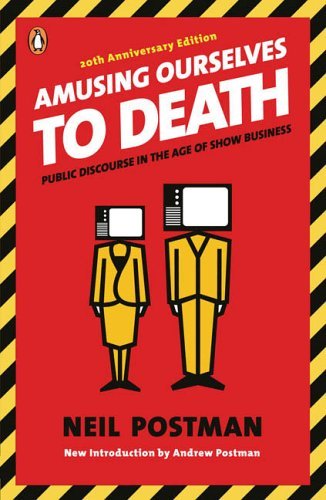
Of course the star attraction was Neil Postman’s Amusing Ourselves to Death. This book basically set the stage for much of the keynote by begging the question about whether we in education have fallen into the same trap that he wrote about in the mid-1980’s about ignoring serious discourse in order to package and produce our content in an effort to attract viewers (err, learners).  I’ve already posted a stream of consciousness that was a direct result of my references to Postman as well as the iPad during the presentation. Therefore, I won’t dwell any more on that book in this post.

I also referenced Brain Rules by Dr. John Medina. You can also check out the website for the book where he freely shares much of the info contained in the book. The main point of his that I used during the presentations was the one about human multi-tasking. First I asked the audience to use the clickers and answer this question.

As you can see, about half of the audience (n=252) believed that the human brain can multi-task. Here’s a brief audio-book intro to brain rule #4 that talks about multi-tasking. Remember that we (humans) can task switch, but not multi-task in any important way (yes, the walking and chew gum can happen at the same time, but that does not require concentration). There’s lots of good info in this book that should impact the way that we teach, because there’s lots of good evidence in here about the ways that we learn. Highly recommended.

I briefly referred to a book titled 33 Million People in the Room when we were talking about cell phones, Twitter, Facebook, and all the other ways that people in the audience could connect with other people in their networks without leaving the room in which we were all sitting. Behold the power of the network.

I moved on to a series of quotes to see who could name this author, slash professor (or is it the other way around?):

  • “Anyone who tries to make a distinction between education & entertainment doesn’t know the first thing about either.”
  • “I wouldn’t have seen it if I hadn’t believed it.”
  • “I don’t necessarily agree with everything I say.”
  • “All media exist to invest our lives with artificial perceptions and arbitrary values.”
  • “We shape our tools and afterwards our tools shape us.”
  • “We look at the present through a rear-view mirror. We march backwards into the future.”
  • “The medium is the message” as well as “The medium is the massage

I didn’t refer to any particular book of Marshall McLuhan’s, but here are a few possibilities:

During the whole riff about the B.S. that is the discussion about the different generations, I referred to several books. I’m not going to give the “millennials-are-different” pro side any ink here – let’s suffice it to say that they are already way too over-hyped, over-published, and over-sold. However, I highly recommend the book that I referenced as pointing out a very different view which is heavily based on research and has a direct implication for how we are choosing to educate young people these days. That book is The Dumbest Generation by Mark Bauerlein. This is the book that I mentioned had upset so many people, but I think you’ll find that it was not written for the purpose of upsetting the non-believers; rather I think it was intended to be a wake-up call to society in general and educators in particular about how we need to stay vigilant in making education a place with rigor and relevance.

There were several other books that influenced my thinking in one way or the other, but those are the main ones that I referenced during the talk. Anyone who is looking to add to their reading list could do a lot worse than adding those titles to their list (except one – do you remember which one I said was a good concept but not worth buying the book?).

Great Parenting (Not) in Facebook

My middle child has been hounding us to allow him to create a Facebook page. He just turned 12 and is in the 6th grade. “Everybody I know has a Facebook page” is what he uses as his main sales pitch. The Facebook terms of service say that 13 is the minimum age for an account. You have to give them a birthdate when creating the account. If you lie and give a birthdate that is not accurate, but use one that indicates that you are 13 or older, then your account is created.

So far we’ve been standing firm on the whole “you’re not 13 yet” line of thought, but it feels particularly lame in this case. Most of his classmates already have an account and have had for some time, mainly since the start of 6th grade last fall. It’s not too easy to convince a 12-y-o that he shouldn’t have a Facebook account when everyone around him (11 & 12 years old) already has one. If anything, it makes us look like the evil parents for following the rules when no other parents appear to be doing so.

Nice job of parenting out there people. We appreciate it.

I’m actually pretty conflicted about the whole thing. On the one hand, I don’t see any rhyme or reason for Facebook to have set an age limit of 13. Can’t think of anything else in this world (at least nothing significant and I’m not saying that Facebook is significant) where 13 is the magic number. Clearly it’s more an issue of maturity than it is of raw age. It’s also an issue of parental oversight more than it is of age. If he was to have a Facebook account it is with the full understanding that his parents will know his password and that nothing he does on that site will be kept private from us. That’s the deal with his cell phone as well which he has lost several times because of the inappropriate language he gets in text messages sent to him (mainly by girls). Even though he is not using inappropriate language in his texts, he knows that if his “friends” use that kind of language that he will lose his phone for a while.

However, I’m also conflicted with the whole idea of “follow only those rules that you agree with.” Since we don’t think that 13 is a magic number for Facebook, then we’ll just choose to ignore that rule. Nope – don’t like that slippery slope that leads to more and more questions about how old you need to be to do certain things (driving, drinking, etc. etc.)

Yesterday morning he was sitting at the computer with his 11-y-o friend who has a Facebook account. I asked him to start writing down the names of his friends who are not yet 13 but who have a Facebook account. After writing two names they quickly realized that the easiest way would be to look at said friend’s list of Facebook friends and pick out those who are in the 6th grade (and under). He brought me a list of about 20 names and said they got tired of writing them down but would continue if I wanted them to. I said no, this was sufficient. Funny thing, those twenty names all started with the letters A, B, and C. In fact, they hadn’t even finished the C’s yet and they had 20 names just from the friend’s account. Since it’s publicly viewable, I then looked at his list of friends which led to more names and more names, etc.

By the end of this little exercise I was under the impression that my son is the only 6th grader at Superior Middle School without a Facebook account (I’m sure that’s incorrect, but that’s the way it felt).

So, the jury is still deliberating on this one. Maybe we’ll stand firm, and maybe we’ll cave like a house of cards. Either way, I feel like we lose something important.