• Recent Posts

  • Tags (Categories)

  • Archives

  • Pages

  • February 2026
    M T W T F S S
     1
    2345678
    9101112131415
    16171819202122
    232425262728  

Educause Review – Don’t Miss It

The July/August 2010 issue of the Educause Review has several really good articles. Here’s some info about two of them.

David Wiley: (@opencontent on Twitter) has an article titled “Openness as a Catalyst for an Educational Reformation.” He believes that all the various aspects of openness in education all come down to the same common denominators. “They are acts of generosity, sharing, and giving.” When you talk about openness, you generally also have to talk about the lack of openness. Consider the examples of educators unwilling to share their content, their course resources, their syllabi, their text materials, etc. “Unfortunately, modern law and college/university policy tend to enable this bad behavior, allowing us to shout “Mine!” ever more loudly, to stomp our feet with ever less self-control, and to hit each other with ever harder and sharper toys.”

He also laments the LMS/CMS affects on the idea of sharing and openness: “If Facebook worked like Blackboard, every fifteen weeks it would delete all your friends, delete all your photographs, and unsubscribe you from all your groups.” That’s good stuff, as is this: “The conceal-restrict-withhold-delete strategy is not a way to build a thriving community of learning.”

FYI: David Wiley will be one of the keynote speakers at the 2011 ITC eLearning conference in St. Pete Beach on February 19-22.

Dave Cormier and George Siemens penned an article titled “Through the Open Door: Open Courses as Research, Learning, and Engagement.” They start with this passage:

“Over the last decade, as educators have increasingly experimented with social technologies and interactive pedagogies, the concept of a “course” has been significantly challenged. In particular, questions have arisen as to the key value of the course in the educational system. Is the value the content — the academic journal articles, lectures, textbooks, and libraries that compose much of the teaching and learning process? Or is it the engagement and interaction that occurs through discussions? Or is it the self-organized activities of learners in the social spaces of a college or university?”

Throughout the article, the authors try to deal with the concepts of “open” and “openness.” As they say, “The word open is in constant negotiation.” They talk about Open Educators, Open Curricula, Open Learners, and even Open Accreditation.

I agree with them about the value of content in the academy. Content is definitely NOT king. “The actions of institutions like MIT suggest that the true benefit of the academy is the interaction, the access to the debate, to the negotiation of knowledge — not to the stale cataloging of content.” Lots of good stuff in this article by George and Dave.

I’ll follow up soon with some info about at least two other articles from the issue.

iPad: Cost Benefit Analysis

I spent 17 years teaching accounting in various universities and colleges, specializing in cost and managerial accounting. Never was a tax guy, never too interested in auditing, didn’t particularly care for the financial statements gig. I did have a natural draw toward the world of cost accounting and how important this type of knowledge was for managers and others working in all sorts of businesses. Cost/benefit analysis is one example of the techniques that are typically found in the skill set of a cost accountant. It’s almost always an imperfect analysis, with several different ways that costs can be computed and where determining benefits is often nothing more than an informed opinion.

As I prepared for a keynote address at the NETnet Distance Learning conference in Tyler, Texas, it occurred to me that my biggest source of discontent with the iPad is that it doesn’t even come close to passing my cost/benefit test. In this case, calculating cost is relatively easy. I bought the $600 model (32GB, no 3G, actually $599 + tax). I’ve added a couple of peripherals and a couple of apps, but let’s just go with the $600 figure since I want to compare it with the base price of other devices. (The pic above is from one of my PPT slides for the conference.)

So let’s see what I got for my $600, before adding in peripherals and apps. I got a touch screen, check. I got decent battery life, check, but that’s mainly true if you completely power it down after using it, which I don’t. The shortcomings of the iPad are well documented all over the web, except that most of them tend to end with something like this: “But still, it’s so cooooooool !!!

Cool is just not enough for me, at least not in this instance. Let’s see what I didn’t get.

  • No USB ports that would be oh so handy.
  • Can’t print from the iPad.
  • No camera built-in.
  • Glossy screen with lots of glare. Major eye strain coming down the pike.
  • Not easy to hold – slippery and difficult to position comfortably while holding.
  • Can’t edit documents (view only) in Google Docs or Zoho docs using Safari on iPad. Pathetic. So much for all that cloud stuff. (Fanboys will blame this on Google & Zoho, but whatever, it definitely lessens the value of the iPad.)
  • The virtual keyboard is not very good.
  • I hate being dependent on iTunes for anything. Needs to be web-based, not a client that I have to install on every device I own or even just try on for size.
  • How exactly do I import my photos onto this thing?
  • The battery will need to be replaced someday, oh that’s right, I can’t do that either.
  • 4:3 screens are so 2001.
  • I’ve heard so many fanboys try to spin the single-tasking thing as a feature or advantage. Give me a break. You’re telling me that it’s not possible to listen to Pandora while I check my email and that’s a good thing? I can’t have Tweetdeck open and type something into Evernote without constantly shutting one down to open the other? That’s not at all useful or efficient.

A couple of weeks ago I was finally able to replace my old smart phone with a Motorola Droid. The Droid impresses me at every turn. It seems like a much higher quality device than the iPad – and yes, I’m sure that the Johnny Appleseeds reading this are rolling their eyes and retching at such a statement. I really feel that I got my money’s worth on the Droid, but don’t feel that way at all regarding the iPad.

Undoubtedly I’ll get hate mail for my final comparison. I realize that the iPad and the Xbox 360 are two very different things with very different intended uses. But since I have two young boys who are begging for an Xbox 360, even though we already have a Wii (okay, two of them) and they each have Nintendo hand-held game systems as well. So they really want an Xbox, but I’ve been trying to resist it. They have spent many hours on my iPad and think that it is uber-cool, but they are perfect examples of why I find the iPad so lame – they watch YouTube videos and play a couple of very lame games that were free apps. It’s just a $600 toy. So what would we get with an Xbox 360 (the newest version)?

  • A full-featured entertainment center (video games, MMORPG, movies, television, etc.)
  • Integrated 802.11 n Wi-fi
  • 250 GB hard drive
  • 5 USB ports
  • Wireless controller and wireless headset
  • Compatible with Project Natal (now called Kinect?)

The base price for the Xbox 360 is $300 ($299, actually), or half of the cost of the unspectacular iPad. As you can see in the graphic above, I certainly don’t think that the iPad is worth two Xbox 360 units. I also hope that my kids don’t figure out that their old man spent $600 of their inheritance on this little piece of nothing instead of $300 on an Xbox. Don’t tell them, please.

One last thing. No doubt many people will think this is just a pro-Microsoft and anti-Apple rant. Not true. In fact, one reason that I haven’t bought an Xbox is because it comes from Microsoft. I’m not a big fan of either one of these Hal-like companies. All I’m saying is that considering what you get for your money, either the iPad is a terrible value or the Xbox is a great value, or both.

BTW (or another last thing), based on what I’ve been reading, I’d probably consider a PS3 over an Xbox, but the cost/benefit analysis in comparison to the iPad is pretty much the same either way. I’m not interested in debating the Xbox vs. PS3 question; take that somewhere else.

A “Debate” (kinda) at DLA2010

I’m attending the Distance Learning Administrators conference at the Jekyll Island Hotel Club. You can tell from the pics that this is a lousy destination. 😉

Tomorrow morning I will join Myk Garn for a quasi-debate based on the following proposition:

Resolved: Faculty must be required to actively consider, and explicitly justify, cost when selecting textbooks and instructional materials students will be required, or advised, to purchase.

I don’t know yet which side of the argument I will be taking. The moderator, Micheal Crafton, will flip a coin and we’ll choose sides based on that twist of fate. So, I might be arguing for the affirmative and I might be on the negative. Quite frankly, I don’t know which side I prefer – and I’m woefully under-prepared to speak for either side.

So, feel free to help me out in the comments section. Your input will be added to the crowd-sourcing that we are planning to do as part of the “debate.” We will be asking the audience (if there is one) to provide ideas for the constructs on each side before we actually give our opening arguments. This is basically an experiment, so we’ll see how it goes.

Reading List from MnSCU Keynote

I’ve had a few requests for more info about the books I referenced during the keynote address at the MnSCU ITS conference, Tuesday, April 27 at Cragun’s in Brainerd. Rather than reply to those individual emails, I decided to write a post about them instead.

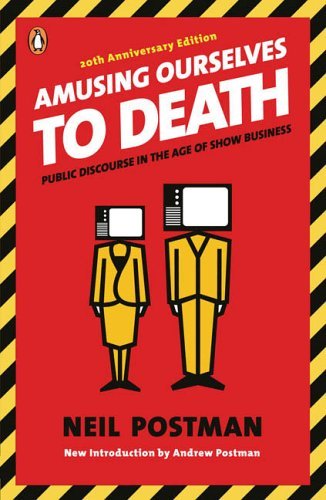
Of course the star attraction was Neil Postman’s Amusing Ourselves to Death. This book basically set the stage for much of the keynote by begging the question about whether we in education have fallen into the same trap that he wrote about in the mid-1980’s about ignoring serious discourse in order to package and produce our content in an effort to attract viewers (err, learners).  I’ve already posted a stream of consciousness that was a direct result of my references to Postman as well as the iPad during the presentation. Therefore, I won’t dwell any more on that book in this post.

I also referenced Brain Rules by Dr. John Medina. You can also check out the website for the book where he freely shares much of the info contained in the book. The main point of his that I used during the presentations was the one about human multi-tasking. First I asked the audience to use the clickers and answer this question.

As you can see, about half of the audience (n=252) believed that the human brain can multi-task. Here’s a brief audio-book intro to brain rule #4 that talks about multi-tasking. Remember that we (humans) can task switch, but not multi-task in any important way (yes, the walking and chew gum can happen at the same time, but that does not require concentration). There’s lots of good info in this book that should impact the way that we teach, because there’s lots of good evidence in here about the ways that we learn. Highly recommended.

I briefly referred to a book titled 33 Million People in the Room when we were talking about cell phones, Twitter, Facebook, and all the other ways that people in the audience could connect with other people in their networks without leaving the room in which we were all sitting. Behold the power of the network.

I moved on to a series of quotes to see who could name this author, slash professor (or is it the other way around?):

  • “Anyone who tries to make a distinction between education & entertainment doesn’t know the first thing about either.”
  • “I wouldn’t have seen it if I hadn’t believed it.”
  • “I don’t necessarily agree with everything I say.”
  • “All media exist to invest our lives with artificial perceptions and arbitrary values.”
  • “We shape our tools and afterwards our tools shape us.”
  • “We look at the present through a rear-view mirror. We march backwards into the future.”
  • “The medium is the message” as well as “The medium is the massage

I didn’t refer to any particular book of Marshall McLuhan’s, but here are a few possibilities:

During the whole riff about the B.S. that is the discussion about the different generations, I referred to several books. I’m not going to give the “millennials-are-different” pro side any ink here – let’s suffice it to say that they are already way too over-hyped, over-published, and over-sold. However, I highly recommend the book that I referenced as pointing out a very different view which is heavily based on research and has a direct implication for how we are choosing to educate young people these days. That book is The Dumbest Generation by Mark Bauerlein. This is the book that I mentioned had upset so many people, but I think you’ll find that it was not written for the purpose of upsetting the non-believers; rather I think it was intended to be a wake-up call to society in general and educators in particular about how we need to stay vigilant in making education a place with rigor and relevance.

There were several other books that influenced my thinking in one way or the other, but those are the main ones that I referenced during the talk. Anyone who is looking to add to their reading list could do a lot worse than adding those titles to their list (except one – do you remember which one I said was a good concept but not worth buying the book?).

Another Brian Lamb Video Riff

A few months ago I posted a video of Brian Lamb (Who the Hell is Brian Lamb?) when he visited with the WCET Catalyst Camp leadership group at the WCET annual conference in October 2009. I have a few additional clips, so I thought I should get on the stick and share a bit more.

Here’s a 9-minute video of Brian talking about the importance of having skills to evaluate web resources, the value of having your own network of trusted colleagues, getting students to do work that matters to the world outside the classroom walls, and the value of lurking while learning. Follow him on Twitter @brlamb

Omni Hotel Rip-Off

There is an update to this story at the bottom of the post.

At the end of the ITC eLearning 2010 conference in Ft. Worth last month, a colleague and I conducted a post-conference workshop about e-Learning Quality. We spent about 8 hours (Tuesday afternoon and Wednesday morning) talking about different quality factors related to online learning.

My original plan was to make arrangements with one of my Texas educator friends to borrow an LCD projector from their college for the workshop. Alternatively, I could have easily brought along one of the portable units from my own college. Alas, old age being what it is, I forgot to make these arrangements in advance.

Never fear, the Omni Hotels A/V and conference staff could come to my rescue. As we stood there at the conference registration table, the guy gives me a verbal quote of $550 for a projector. Keep in mind that this guy knows that we are using their meeting room for both Tuesday afternoon and Wednesday morning for a total of about 8 hours. I’m thinking that $550 is a lot of money, but basically the price I have to pay for my own forgetfulness, slash, stupidity. So I agree and life goes on. They set up an old LCD projector, not quite like the old projector shown in the pic (cc photo by pedrosimoes7), but not much better either.

Imagine my surprise when the total bill for using this projector for 8 hours is over $1,440.

After I returned to campus, I filled out the online survey that I received from the Omni Hotel Ft. Worth. Below is the section of the survey comments that I provided to them about my projector unhappiness:

“I was conducting a post-conference workshop using one meeting room for one afternoon and again the next morning. In need of an LCD projector, the conference staff informed me that it would cost $550 to which I verbally agreed. My bill for this projector was $1,440. I didn’t receive the full bill until after I returned home. The projector was old and didn’t work properly, although we were able to continually reset it to make it work. This projector has a street value of no more than $200. I know, I buy them all the time. Rental charge of $1,440 for one day with a $200 projector – that’s absolutely ludicrous. There were also issues with the beverages for our small meeting of 10 people, but that pales in comparison to the projector outrage. As a board member for the Instructional Technology Council, I will strongly recommend that we not consider Omni Hotels for our future annual conferences of 300-500 people.”

“A little customer service training advice for your employees – do not tell a customer that something will cost $550 and then give them a bill for $1,440. Nobody will take that well.”

Not surprisingly, I have received no response from Omni Hotels from my survey submission. Obviously, they don’t give a damn.

The Omni Hotel charged me $1,440 to use a $200 piece of equipment for 8 hours. Payday loan companies have nothing on those guys.

UPDATE: March 29, 2010. Manager from Omni Fort Worth contacted me to discuss the situation and agreed to adjust the total charges to the $550 that I verbally agreed to. That type of response DOES differentiate them from the Payday Loan companies. Thank you.

4 Things I Learned at ITC10

Last week I attended eLearning 2010 (ITC10), the annual conference hosted by the Instructional Technology Council. Every year this conference seems to get better and better and this year was no exception. This post will share four new things that I learned during the conference.

1) Todd McCann is a friend of mine who works at Bay College in Escanaba, Michigan. Todd presented a session titled: “Taming the Tornado, Free Tech Tools for Very Busy People.” He demonstrated and explained several ways of communication with students beyond the basic email, discussion forums, and live chat tools that are commonly utilized in online learning. Most intriguing to me was his use of Broadtexter, a free service that can be used to send text messages.

Sending text messages to students might not sound very innovative on the surface, but as you get down a little deeper I think you’ll find some really interesting features here. One of the problems with using text messages with students is the need to share personal contact information – you need to know their cell phone numbers and they need to know yours. Not true with Broadtexter. The system handles the phone numbers internally and that information is not shared with the different senders and recipients of the messages. Additionally, Broadtexter is an opt-in service. Students will sign up to receive your messages only if they are interested in doing so. If they don’t want to be “bothered” by you, they won’t be. Since appearing in the Chronicle, Todd is now know as Professor Textblaster, apparently.

2) Rhonda Ficek is another friend of mine. She works at Minnesota State University Morehead as an instructional technologist and faculty member. Rhonda’s presentation was titled: “Creating Web-based CoursePacks that Move with You and Between Any Course Management System.” Rhonda demonstrated the use of several tools that can be used to develop electronic course materials that are LMS-independent. A tool that I was not familiar with is eXeLearning. Their website (insert link) states the following: “The eXe project developed a freely available Open Source authoring application to assist teachers and academics in the publishing of web content without the need to become proficient in HTML or XML markup. Resources authored in eXe can be exported in IMS Content Package, SCORM 1.2, or IMS Common Cartridge formats or as simple self-contained web pages.”

Using eXeLearning, Rhonda showed how easy it is to create content that conforms to the many standards (SCORM, etc.) that are being developed for e-content. I generally prefer web-based tools when I can get them, but exeLearning appears to be worth the download and install on my PC. Besides, I’m always willing to give up the web-based mantra when a FOSS tool is functional and interesting. Unlike some FOSS tools, this one is available for Windows, Mac, and Linux.

Rhonda also shared a great set of tutorials that were created with SoftChalk.

3) Another friend who always provides lots of learning tightly packed into a one hour session is Maria Anderson (here’s her blog: Teaching College Math) from Muskegon Community College in Michigan. Her session title was “Technologies to Engage, Excite, and Delight Your Math Faculty,” and no, that is not an oxymoron or a mission impossible. Maria showed several useful tools, but the best thing I can do is just refer you to her mindmap of math sites and tools which can provide people with hours of surfing pleasure if they are so inclined. I also found out that Maria is a choir director at heart, and I’m glad that she had the opportunity to express herself at ITC10.

4) Along with keynote Nancy White, I learned how to use the free SAP Web 2.0 PowerPoint Twitter tools. In fact, Nancy and I learned together how to do this since she had to borrow a netbook from me in order to make this happen during her keynote. We both downloaded and installed the plug-in (she in Seattle and me in Duluth) and learned how to use the slides at the same time. She mainly used two features of the package: a) the auto-tweet service that sends out a Twitter message as you advance the PPT slides at pre-determined times for those things from your presentation that you want to share on Twitter, or questions that you want to ask of the backchannel, and b) the Twitter feedback slides that dynamically updates with the latest messages posted to Twitter as long as the posts contain the designated hashtag. In my opinion, these tools worked very well and added value to her presentation. It was also good modeling by Nancy of jumping into the pool by using new technology applications on the fly where everyone could learn at the same time.

#ITC10 Tweetup – 9 PM

Join me, @NancyWhite, @jimgroom and a cast of dozens of other ITC eLearning tweeters at Jake’s Hamburgers at the corner of 5th and Main in Ft. Worth.

All we  are intending to do is have a few beverages, some adult conversation (for as long as that holds out), and maybe a few impromptu short presentations/shoutouts – maybe!!

There’s probably room for 25-30 people in the upstairs section of Jake’s. If we need to change on the fly you can expect to see an update on  ……  you guessed it, Twitter.

Map from the hotel to Jake’s. View Larger Map

ITC10 Conference Message Board

Don’t let this happen to you. This is a picture from the ITC eLearning 2009 conference held last February in Portland. Look at those pathetic little messages posted on that great big board. Of course the twittering bird was added later.

Compare that with the over 500 messages that were posted to Twitter during the conference by 20-30 different tweeters. This year will likely produce an even bigger difference between old messaging and new messaging. I expect the Twitter activity to be much stronger this year and I wonder whether there is even a need for the bulletin board and push pins.

ITC eLearning 2010 is being held in Ft. Worth starting Saturday Feb. 20 and ending Tuesday, except for those attending the post-conference workshop on eLearning Quality.

Twitter Tag: #ITC10

Please tag your conference blog posts, photos, tweets, videos (etc.) with this tag to make things easier to find for people at the conference as well as the remote followers. Also, check out the Twitter Hub at www.twubs.com/itc10

Twitter Twub: #itc10

If you’re heading to Ft. Worth for the ITC conference on Feb. 20-23; join the Twub for eLearning 2010 Twitter Twub: #itc10. A Twub is an aggregator of Twitter content about the conference plus a place to view photos, videos, and the like.