• Recent Posts

  • Tags (Categories)

  • Archives

  • Pages

  • December 2025
    M T W T F S S
    1234567
    891011121314
    15161718192021
    22232425262728
    293031  

A Week of Workshops in the UAE

Barry Dahl in Fujairah workshop

Photo courtesy of Alan Nambiar - Fujairah Colleges

I’m trying to wrap my brain around the week I’ve just concluded with the fine people of the Fujairah Colleges in the United Arab Emirates. The workshops were held at the Fujairah Women’s College but also included faculty from the Fujairah Men’s College as they immersed themselves into a week of professional development activities during Independent Learning Week (sort of like Spring Break, except that the students work on individual projects and the faculty are not on leave – so really not like Spring Break at all).

In the computer lab

Photo courtesy of Alan Nambiar - Fujairah Colleges

Much of the time was used looking at how Web 2.0 tools can be used by faculty to create engaging content for their courses as well as possible uses for student assignments or group projects that are facilitated through the use of web-based technologies. I spent much of the time with the same cohort of faculty who are working on the development of a laptop program at the college. A few other sessions were open to various other interested parties at the colleges.

Fujairah is located on the Gulf of Oman and is about a 90-minute drive from Dubai which is located to the east on the Persian Gulf. Fujairah is mostly mountainous, and quite beautiful. One of the most amazing experiences for me was finding that the city is an incredible melting pot of people from all over the world. At the Fujairah Colleges alone, the faculty come from more than 30 different countries. I spent quite a bit of time getting to know Andrew Scholtz who is from South Africa and Peter Hatherley-Greene who hails from New Zealand. Talk about global education – here you live it!

Entrance to Fujairah Women's College

I owe a huge debt of gratitude to Mark Johnson, Director (aka President) of the Fujairah Colleges. He contacted me several months ago about the possibility of coming to the UAE to provide this professional development for his faculty and staff. Mark and I got to know each other when we were colleagues in Minnesota. He was the CIO at MSU Mankato
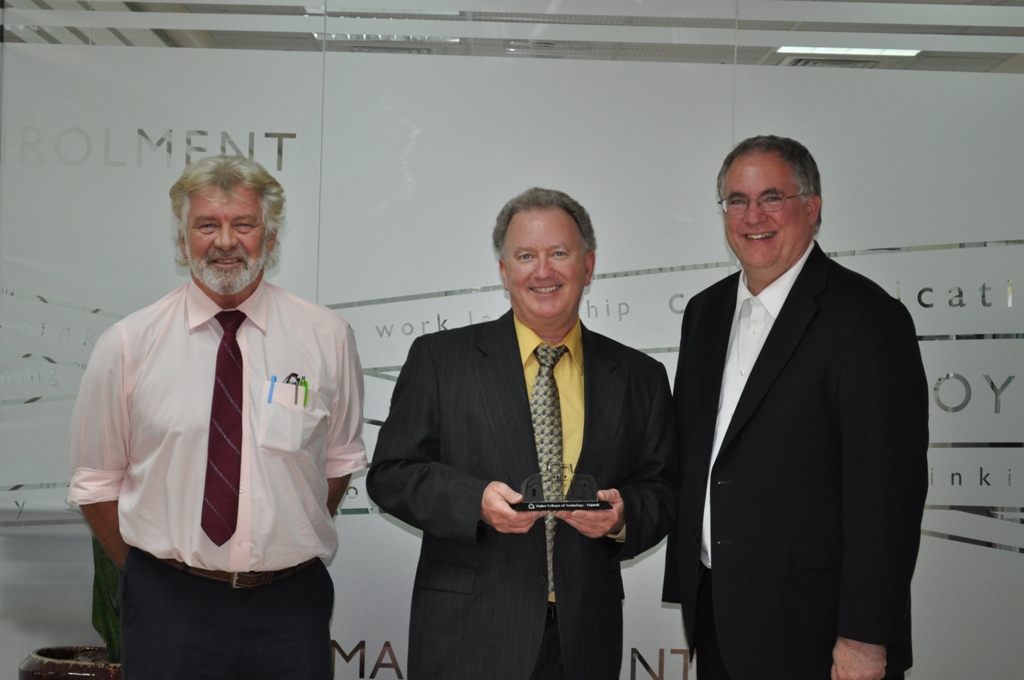
At Fujairah Colleges. Andrew, Barry, and Mark

L-R: Andrew, Barry, and Mark

and decided to leave Minnesota back in 2006 and move his family to the Emirates (story here). The accomplishments that Mark and his staff have achieved at these colleges are very impressive and he will undoubtedly be missed here in Fujairah when he returns to Minnesota at the end of the academic year.

This trip far exceeded my wildest dreams. The workshops were fun, seeing a new culture and country was fun, but by far the best part was all the great people I met here during the week. Really outstanding.

Another Brian Lamb Video Riff

A few months ago I posted a video of Brian Lamb (Who the Hell is Brian Lamb?) when he visited with the WCET Catalyst Camp leadership group at the WCET annual conference in October 2009. I have a few additional clips, so I thought I should get on the stick and share a bit more.

Here’s a 9-minute video of Brian talking about the importance of having skills to evaluate web resources, the value of having your own network of trusted colleagues, getting students to do work that matters to the world outside the classroom walls, and the value of lurking while learning. Follow him on Twitter @brlamb

Windows 7 Voice Recognition

KeyboardI recently engaged in another conversation slash argument about whether it is worthwhile for seventh graders to learn keyboarding skills.  I am of the opinion that drill and kill methods for keyboarding does nothing but suck the love of computing out of our young people.  I have seen it happen with my own daughter and fear will happen with my son next fall.

So just to demonstrate the alternatives available today for strong keyboarding skills, I have narrated this post using the windows seven voice recognition tool.  I could do some minor editing to clean it up, but instead I will leave it the way it was translated as speech to text by the narrator.

Not too bad, if you ask me.

Computer Skills Assessment – Post 2

This is a continuation of the previous post related to the results of the Computer Skills Assessment given to 245 new students at Lake Superior College in September 2009.

Not all of the tasks were as easy as the others. For the following analysis, students were combined into two categories: Confident and Not confident, by combining the top 2 categories into the confident group and the bottom two categories into the not confident group.

The chart below shows how each group performed on each of the individual tasks.

General information about the tasks (survey questions 3-8) are shown below. I’m not going to post the specific tasks since this is an ongoing assessment (don’t post your test online).

Question 3 (task #1) – students must open a web browser to navigate to a website without having a link to click. Students must type the URL into the browser address bar or search for it based on the information given.

Question 4 (task #2) – using a browser, students are instructed to go to the Lake Superior College home page (www.lsc.edu) and then find some specific information about available financial aid.  There are several different ways that students can navigate to the chosen page and find the answer. You can see from the chart that this question does not differentiate abilities very well.

Question 5 (task #3) – students use a search engine to find a web site based on a description provided. Once the students finds the site they are able to easily find the answer for the question. If a student chooses any of the major search engines they should easily find the website based on the search term given in the question.

Question 6 (task #4) – if the assessment is being administered on-campus in a computer lab (as it was for these 245 students), then the students are asked to search for a file on the hard drive. After finding the file, the answer to the question is the size (in KB) of the file. Using the computer search function is the easiest way to do this exercise, but students could try other techniques including browsing through the various file folders on the computer. You can see from the chart that this was the task with the lowest success rate.

Question 7 (task #5) – students are asked to use Microsoft Word or another word processing program to create a new document. They are asked to enter some text (a small amount) and then format the text in a few different ways. NOTE: this is a very basic attempt at assessing word processing knowledge. The exercise could definitely be longer if time is not a concern.

Question 8 (task #6) – students are given a flash (USB) drive to use during this step (which they get to keep as compensation for their time) and are asked to save the document to the external drive named [your name].doc. (e.g. John Doe.doc).

Question 9 – Thank you for participating in this computer skills test. We would especially value your feedback about this exercise. Do you have any suggestions for ways that we can make it better? Are there any parts of the instructions that you found to be confusing? Anything else you’d like to tell us? (a few of the many responses are shown below)

  • It was nice to learn how to use the flash drive. Thank you very much.
  • Nope, you did good and that’s the most I’ve done on a computer in years! Later
  • The only confusing part was the flash drive.  Which removable disk to save it to.
  • very easy
  • All I can say is Thank you! I have not used a flash drive before this but now I know how.
  • I believe a refresher course would have been good for me personally.
  • This exercise has made me feel better about what I know about computers.
  • This was great it showed me my week points and my strong points. it also showed me I need to be more sure of myself when it comes to computers.

Computer Skills Assessment – Post 1

245 students completed the computer skills assessment during the Fall 2009 Student Success Day at Lake Superior College. All students enrolled in the FYE 1000 classes (First Year Experience) were invited to complete the assessment. To encourage their participation, each student who completed the survey was given a 2 GB USB drive with the LSC logo attached.

Question 1 – How confident are you in your ability to use a computer?

As you can see from the chart, the vast majority of students indicate that they are very or somewhat confident in their computing abilities.

Question 2 – How confident are you in your ability to use email, including sending documents or photos attached to an email?

Very confident = 124  (50.6%)
Somewhat confident = 83  (33.9%)
Not very confident = 29  (11.8%)
Not at all confident = 9  (3.7%)

After those two self-assessment questions there are six tasks that the students are asked to complete. One factor that was analyzed was how many of those six tasks were completed successfully. Based on the data shown below, the self-assessments of computer skills appears to be a fairly accurate predictor of how many tasks a student could complete. (Full statistical analysis not yet completed, Nov. 2009)

  • 92% of the students who indicated that they were “Very confident” in their computer skills (n = 101) either completed 5 of 6 or all 6 of 6 tasks on the computer skills test.
  • 86.2% of the students who indicated that they were “Somewhat confident” in their computer skills (n = 116) either completed 5 of 6 or all 6 of 6 tasks on the computer skills test.
  • 50% of the students who indicated that they were “Not very confident” in their computer skills (n = 20) either completed 5 of 6 or all 6 of 6 tasks on the computer skills test.
  • 12.5% of the students who indicated that they were “Not at all confident” in their computer skills (n = 8 ) either completed 5 of 6 or all 6 of 6 tasks on the computer skills test.

In the next post we’ll take a look at what those 6 tasks are and how well students performed on each of the tasks.

Action Analytics Symposium – Day 1

MnSCU-ActionAnalyticsA two-day symposium on Action Analytics was held in St. Paul on September 22-23, 2009. I took lots of notes via Twitter. I’ll copy and paste several of those tweets from day one and call it a blog post. Twitter hashtag #ActionAnalytics

  • Symposium begins in 1 hour. First up: “Why action analytics for higher education?” My answer: to improve student success
  • Symposium getting started. MnSCU Chancellor states that the people are fed up with the completion problems in higher ed.
  • “I don’t think we can assume that our needs will be funded if we can’t demonstrate high levels of achievement.”
  • The key piece of #ActionAnalytics is not the analytics, it is the ACTION. Use the data to lead us to actions to span the achievement gap.
  • Who’s been invited to #ActionAnalytics ? Trustees, presidents, political leaders, policy makers, national associations (& me?)
  • Donald Norris has a blog titled: Linking Analytics to Lifting Out of Recession http://bit.ly/1TI4s
  • Higher ed has never said “Every student needs to succeed.” We accept failure – non-completers are expected & “normal”
  • Health care & education are similar in the “laying on of hands.” Nationwide discussion about reforming health care, will education be next?
  • Had breakfast this morning with Capella’s president. He told me some surprising things about their student demographics. Very impressed. Capella educates huge numbers of first-generation college students. I don’t think that’s widely know. He tells a great story about access.
  • Higher ed measures lagging indicators (persistence, graduation, etc), should focus on leading indicators (Wk1 engagement)
  • More open education environment will take us from education opportunity (now) to education assurance (future). Bill Graves
  • Getting data out of our systems is hard (costly) – we need better standardization of info systems. Michael Feldstein
  • The data is leaving the LMS for Web 2.0 apps – how do we build connections to all these tools (can we)? Michael Feldstein
  • “Smart Change” is the aggressive application of change management principles to develop institutional capacity (Baer/Duin)
  • Routine change happens everyday, transformative change gets you out of your comfortable box. Academics freak out with that.
  • My take on transformative change – largest barrier is TRADITION (think Topol singing in Fiddler on the Roof). For example: 300 bright minds may agree that we should extend the school year – but 300 million people disagree because of tradition of summer vacation.
  • John Campbell of Purdue. Building capacity for analytics is really about building community – getting buy-in
  • Purdue Signals Program – actionable intelligence – real-time predictions of student success in a course. Try to focus your data analysis – one question leads to another – must make choices and keep it simple. Purdue’s Campbell. Purdue’s info system hasn’t reduced course drops, but they drop earlier. More B/C grades, fewer D/F. Purdue students didn’t think it was Big Brother. They appreciated the info avail to them “thanks for kick in the butt.”
  • Alex Ushveridze – Predictive Modeling Expert at Capella. “How” questions depend on the “who”and the “why.” Persistence? Predictive Modeling is a continue cyclic process- a way of acting rationally. Online education is ideal arena for P.M. Capella – Early alert – how early? FIRST WEEK determines everything!! High predictability of grades at end of first week.
  • Jeff Gran- mgr of assessment at Capella will focus on measurement of learning. How can we collaborate to measure outcomes? Capella has 1,100+ faculty. Outcomes are measured with a fully embedded assessment model (FEAM) in each course.
  • Craig Scheonecker of MnSCU showing MnSCU accountability dashboards. Focus on fewer items and make easy to understand. Check out the MnSCU dashboards – available to the public http://bit.ly/Jq0lb You can even “drill down” (somewhat).
  • Conundrum: as we move to individualized learning models – how can we aggregate/analyze data with small N sizes?
  • Issue: there is a need for info literacy about these analytics – who’s doing something about that? Michael Feldstein
  • Will #ActionAnalytics evolve into a set of open tools that can be shared across institutions? It’s not happening yet.
  • ERP vendors, LMS vendors are all looking at (selling) these types of tools – but is that the direction Higher Ed should go.
  • http://twitpic.com/iq2vj – Lunch keynote speaker at #ActionAnalytics – Undersecretary of Education Martha Kanter.
  • During lunch: “When Blackboard is presented a business opportunity – their response is ‘What would the 19th century robber-barons do?'”
  • #ActionAnalytics panel discussion – What info, reports, dashboards are needed? 1st up: Dr. George Boggs, American Assoc. Community Colleges. Dr. Boggs: The old saying was “students have a right to fail.” Luckily, that point of view is changing – but not totally. Spellings Commission concerned with consumer info. That’s not the focus for CCs. We need the data to improve our outcomes. Voluntary system of accountability. One concern is improving the effectiveness of our remedial education programs.
  • Foreign dignitaries come to the US. to study our system of higher education. “Sorry, we don’t have one of those.”
  • 25-30% of the developmental ed is done at universities – but they don’t do remedial education. Name Game: Banana Fanna Fo.
  • Revenue per FTE at public institutions: $7,059 appropriations, $4,004 tuition revenues. (64% – 36% nationally)
  • If academe makes accountability studies without outside oversight, will they be viewed as being less than truthful?
  • “As an educator masquerading as a technologist, I now realize how little I know about what will happen next.” Michael F.
  • http://twitpic.com/iqgyd – From #ActionAnalytics – two bright minds: Mark Milliron and John O’Brien.
  • Data Quality Campaign website: http://bit.ly/e2bMb Using Longitudinal Data Systems to Improve Student Success.
  • We have a greater supply of data than demand for it. People don’t ask for it, don’t trust it, can’t use it effectively.
  • Next generation of analytics – interesting conversation since we are still making baby steps on the current generation. Next gen: move from high-cost business intelligence to value analytics for the masses. Next gen: move from users waiting for results to immediate results with dynamic analysis and changing parameters. Next gen: analytics currently driven by power users, move to end users deploying user-friendly tools. Next gen: move from institutional data sets to cross-institutional analytics and P-20 data sets.
  • Discussing some of the user-generated analytics – RateYourProfessors, PickaProf, CollegeResults dot org, etc.
  • Statistics is THE math that we need to be teaching in high school and college. More important to our future than Calculus.
  • One of the secret sauces for analytics is the predictive model – good place for collaboration. Open-source style. Al Essa
  • Our technical capacity is developing faster than our ability to make constructive use of the output. What does this mean?

Overall, it was a very good day, very long day, spent with very intelligent people. My brain is full.

Action Analytics at MnSCU

During this academic year I will be working on a project called Action Analytics with the Office of the Chancellor at the Minnesota State Colleges and Universities (MnSCU). I will still retain my position at Lake Superior College, but part of my time will be devoted to this project.

Dr. Linda Baer of MnSCU was a recent guest blogger on Donald Norris’ blog Linking Analytics to Lifting Out of Recession. Dr. Baer described several data analytics initiatives that are ongoing within MnSCU as serving diverse populations and also the underserved populations. As a more recent step, she describes the following: “Linking Activities and Metrics. The second foundation step is to begin to link these many activities. The technology and infrastructure capacity of the system was supporting a large data warehouse with selected data mining capabilities. The dashboard enabled full display of campus and system accomplishments. Yet, the question remained: What activities were contributing to the most student learning and student success?”

Boosting Analytics and Predictive Modeling. Dr Baer continues with the following: “Realizing that the next big step was to develop analytic and predictive modeling capabilities … using national, state and local data, we could develop student information dashboards so each faculty member could review where the student was academically and then advise the best academic choices for ongoing success. Curricular assessment could be made to see what components of course learning worked for students and what needed more emphasis so tutoring and advising could further align best learning experiences to accomplish successful learning.”

The desired end result is to create an informational system that can be used to provide students with timely advice about how best to succeed in their current courses and in their more long-term programs oif study. To that end, I am working as part of a team to create a proof of concept for this project. We are analyzing sudent engagement data harvested from their activities inside Desire2Learn during the spring 2009 semester. Early results have favorable indications that the student engagement data might indeed be useful as a predictor of success in the course, although that analysis is not complete at this time.

Stage one is to create an advising model where advisors would be able to quickly see which of their advisees might be at risk academically and to help make suggestions as to which type of actions (interventions?) might be useful in bringing the student closer to a successful outcome. This work is ongoing and I expect to have much more to report about it over the next weeks and months.

BuzzTweet Bingo for EAT-IT 09

EAT-IT 09 (Emerging Academic Technologies and Instructional Techniques) starts tomorrow at Inver Hills Community College. During the keynote presentations (there are now five of them over two days) I’m going to try out a new game that I hope will be fun for the attendees. I always think it’s pretty funny to play Buzzword Bingo at conference sessions, but that is just a little too low tech for a tech conference. Enter BuzzTweet Bingo (copyright, trademark, patent, DRM, and all licenses and royalties belong to me – Barry Dahl). (You can Google it (I did) and you’ll find no reference to the term except probably this one and all future derivatives from this one.)

Here’s how it works. Prior to the start of the keynote presentation or breakout session, you send a Twitter direct message to the game administrator. In the message, you identify who the speaker is and then you list five buzzwords that you predict the speaker will use during the session. Here’s the catch. One word must start with a B, one word with an I, one with an N, a G, and an O.

During the presentation, you send a tweet immediately after you hear each one of your words, for example:

  • @EATIT09  John O’Brien just said “BillyBob” (which let’s assume was my B word)
  • @EATIT09  John O’Brien just said “Interwebs”
  • @EATIT09  John O’Brien just said “Nervous Nelly”
  • @EATIT09  John O’Brien just said “Giddyup”
  • @EATIT09  John O’Brien just said “”OMG”  – BINGO!!! Hallelujah!! I’ve got a BINGO!

First person to post their five words and Tweet “BINGO!!!” is the grand prize winner (a prize to be named later). NOTE: most of those sample words above are not good tech buzzwords, but were chosen based solely on their first letter for purposes of this demonstration.

Why a direct message? That keeps your predictions private so your cheating neighbors won’t copy your great buzzword ideas. The admin (me) will be able to keep you honest by checking your predictions in the dm, and compare them to your regular tweets during the session.

Rules:

  1. Rule #1, Obey all rules!!!
  2. Admin makes the call on whether something is a good buzzword. No simple words, no conjunctions, don’t use the speakers name, etc. This is BuzzTweet Bingo for rice cakes – USE BUZZWORDS and stupid acronyms and stuff like that.
  3. Admin settles disputes about whether the speaker actually said your buzzword or not. If necessary, the archive of the video stream will be checked and re-checked. Don’t make me pull this car over.
  4. No crying, and check rule #1.

If you’re ready to play – here’s the steps to get started.

  1. Follow the game administrator on Twitter. He needs to follow you back so you can send direct messages to him.
    • If I (barrydahl on Twitter) already follow you, then you’re good to go. Just send me your direct message.
    • If I don’t follow you on Twitter, follow the special account I created for the game (EATIT09 on Twitter) which is set up to automatically follow you back. This should happen very quickly (We’ll see). Otherwise just tell me to follow you so that you can send me direct messages.
  2. Send the dm to the game admin (either barrydahl or EATIT09 on Twitter) prior to the start of the session, or within the first couple of minutes (can’t include buzzwords you’ve already heard). Make sure you identify the speaker’s name in addition to your five buzzwords.
    • Example:  d EATIT09  John O’Brien keynote: BuzzTweets – BillyBob, Interwebs, Nervous Nelly, Giddyup, OMG
  3. Send a regular tweet (@ reply to EATIT09) the first time the speaker uses each of your five buzzwords (see the examples above under the picture).
  4. Feel free to yell out BINGO! during the session when you send your fifth tweet – sort of like a tweet heard round the world.

Finally, if this idea falls flat on its face, then I clearly stole the idea from someone who is far less entertaining (see previous post) than I am.

CC Flickr photo by Annie Mole

Web Site Story – CollegeHumor Video

CollegeHumor videos continue to get better and better. I love this one.

Vodpod videos no longer available.

more about “Web Site Story – CollegeHumor Video“, posted with vodpod

Use of I.T. Special Allocation

During the next few days we will be excited to finally open our new Technology Support Center (TSC) at Lake Superior College (LSC). The construction and remodeling have taken much longer than anticipated so several of us are anxious to begin serving students in the new space.

Apparently not everyone shares our enthusiasm. One anonymous college employee has criticized the use of the special I.T. dollars for this project. In particular, this was the second year that each MnSCU campus received additional dollars from the system specifically dedicated for use with local (campus-based) I.T. projects. We call it the “I.T. Special Allocation” although there is probably a more official name for this initiative that I just don’t know about.

The employee stated that using the special allocation for this project was an improper use of funds. I actually can’t say for sure one way or the other, but my interpretation is that we have acted properly. The guidance for the use of these funds comes from a MnSCU memo dated August 8, 2007 with the following subject line: “Guidance on College/University Spending of FY 08 IT Allocation.” The same guidance was used for the FY09 funding as far as I know.

Quoting from the first paragraph: “Your spending allocation should, overall, be consistent with the final legislative language which states: This appropriation includes funding for operation and maintenance of the system, including technology infrastructure improvements to deliver more online programs and services to students.”

Continuing, “Also, in order to ensure that the special IT funding allocation is spent in accordance with the Board of Trustees’ intent, each College or University should allocate this special funding in support of the appropriate institutional efforts in implementing the 8 key projects proposed in the 08-09 legislative funding request. These 8 key projects are consistent with the legislative appropriation language and include: Network and Data Center Modernization, Security Management, Identity Management, Retooled Administrative Systems, New Technology Architecture, Student Services and Online Learning, and Faculty Research and Development.”

The document goes on to define those eight key IT projects within which it would be appropriate to spend the special allocation of money. The two relevant areas in particular are as follows:

  • New Technology Architecture
    • A new, flexible technology architecture will enable innovation and preserve the ability of individual institutions to systematically customize and enhance core, systemwide applications while implementing identified best business practices and preserving data integrity and systemwide business/academic seamless operations. A modular architecture will allow us to realize the benefits of economies of scale while still allowing for institutional variation within an interoperable technology framework.
  • Student Services & Online Learning
    • Investments in our online learning and electronic student services will allow us to keep pace with increasing demand while also expanding access and opportunities for the growing pool of non-traditional learners. Enhancing online functions will go beyond learning and include online career planning, disability services, advising and business functions. Around-the-clock help and support for accessing the new online services will also be provided.

Ignoring the incredible corporate-speak for the moment, I believe that these two categories justify the spending of the dollars on this project at LSC. A little background is probably in order. We opened a new building in August 2007 and in that building is the current Student Technology Center (STC). The STC is an open lab where students can go to get technology help or just to use a computer as needed. There are about 55 computers in the lab. At the time that we opened the lab we heard student complaints (via Student Senate) that the lab was too small and that students had lost open computing space on campus. At the same time we had another space that had been used for several years and was known as our e-Campus which was also the help desk for online students. In other words, there were two help desks, one for on-ground students and one for online students.

Part of the plan that we made to address the Student Senate concerns was to continue to have two open computing labs on campus but only one help desk – sort of a one-stop shop for student help needs with technology. Thus we decided to expand and remodel the small e-Campus space into the adjoining much larger space. That new space is the STC that we are ready to occupy. The other space will be converted into a quiet computing lab – in other words, no help desk services will be available there. Overall, we are attempting to meet the identified student need for more access to technology infrastructure and we believe that we will provide better service to students including our online students.

It’s not much to look at just yet, but in a few weeks it should be a busy hub of activity on campus.